Updating firmware
To start an update, click on Update.
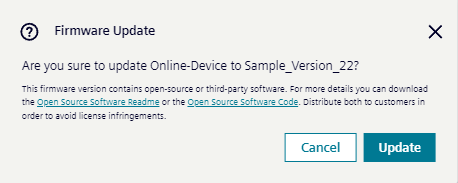
When a firmware update is started, a confirmation dialog is displayed. After confirmation, the update begins.
NOTICE
Do not perform any other actions during the update, as this could cause the IE device update to fail.
Once the update begins, the relevant firmware release is downloaded to IEM.
- Wait until the firmware release has been downloaded to IEM.
- Wait until the device update process starts automatically.
-
Verify that the update has finished successfully.
An up-to-date device shows both the
CurrentandLatesttags. This indicates that the device uses the most recent firmware release for its device type. -
Check the success notification.