Scoped Public Access
Introduction
The Scoped Public Access feature, when enabled, allows users of an Industrial Edge Device to access dedicated application UI content being served under relative URLs without needing to perform any authentication.
These paths are defined as /andon/* paths, relating to Andon systems which provide real-time visual feedback regarding production line status, giving operators faster response times to reduce downtimes and boost efficiency.
If disabled, then regular authentication mechanisms are requested of access attempts to /andon/* paths, which are treated as protected resources and remain requiring authentication.
Overview
The Scoped Public Access feature controls authentication requirements for all access requests to application routes under /andon/*.
It can be enabled or disabled on the IE Device by device administrators.
- Enabled: Industrial Edge Applications can share/serve selected content or features under
/andonroutes and sub-routes without requiring a previous IE Device login. - Disabled: All applications and application paths require login for access. Applications can still share/serve content on these paths, but they will require authentication as for all other routes.
How to enable/disable Scoped Public Access on the device
In order to enable/disable Scoped Public Access on the IE Device, the following setting can be changed in the System tab under Settings:
- Navigate to System > Settings on the IE Device UI.
- Find and select the "Scoped Public Access" settings tile, and use the toggle to enable or disable the feature.
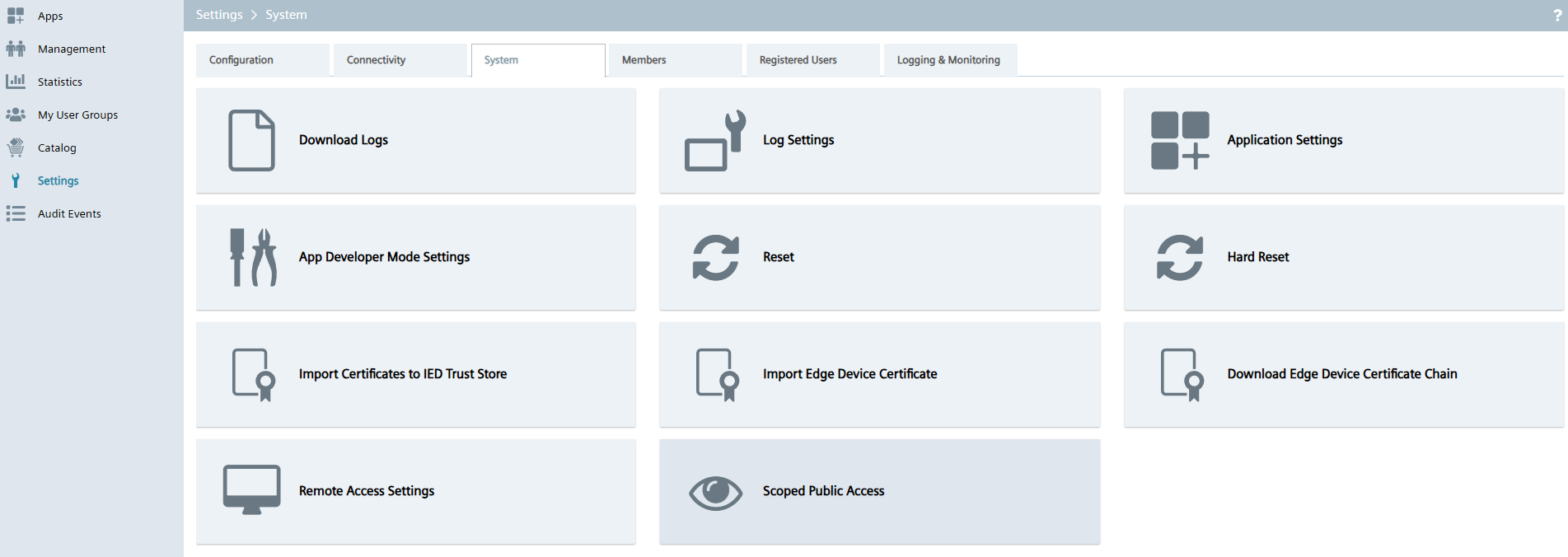
- After toggling, click Update to apply the change.
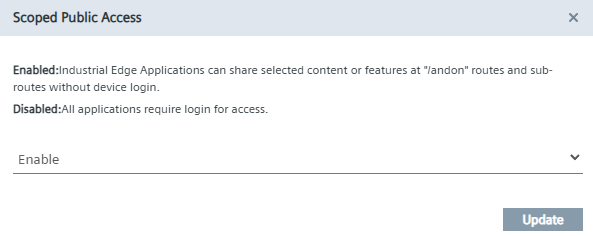
Usage considerations
Enabling/disabling the Scoped Public Access feature impacts all applications on the device, meaning the effect of toggling the feature is common to the access of all applications /andon/* paths. Therefore:
- If the feature is disabled, no application's "scoped public access" will be possible
- If the feature is enabled, all applications "scoped public access" will be possible.
The toggling also takes place immediately, meaning that all new application requests (on a new browser/session) behave accordingly to the state of the feature.
NOTICE
While the change in status of the Scoped Public Access is immediate, it does not enforce a change in the behavior of access to an application's /andon/* route in case an already existing access to it exists. Due to existing cookies in the session, the behavior will remain as it was. Therefore, only a new session will reflect the updated status of the Scoped Public Access setting on the device.
How to use Scoped Public Access
In order for an end user to get Scoped Public Access to an application, the end user (without a login on the device) currently needs to be aware of the specific root /andon/* path for the application to access. Take the following example:
- End user (with no device login) wants to access the base path with Scoped Public Access for application
ExampleApp - End user must be aware of:
- Device URL/namespace (e.g.,
192.168.10.20) - The application's name/ID (e.g.,
ExampleApp) - The base path on
/andon/*and any relevant sub-paths (e.g.,/andon/example-dashboard) - End user knows to access the base path for which no device login is required in
https://192.168.10.20/ExampleApp/andon/ - If needed, also knows how to access more specific information in the example dashboard at
https://192.168.10.20/ExampleApp/andon/example-dashboard
Check this information with each application intended for use within the Scoped Public Access functionality.
NOTICE
The Scoped Public Access functionality creates a default@default.com user on device. This user will show up in the Members tab. No action is required on your end regarding this member's management, and as a device administrator you should neither approve nor decline this user.
For further technical details on the Scoped Public Access functionality, refer to the Scoped Public Access Guide for Application Developers.
Security considerations
As a device administrator, you should be aware that:
- Enabling unauthenticated access, even if to the specific application routes and sub-routes, may expose sensitive information if the application content displays operational data (application dependent).
- Enabling this feature should be considered only in trusted environments, considering the usage of applications that expect and also enable this behavior for your intended use cases.