Overview
The Library screen lists all products for which you purchased a license.
System Apps are included in the purchase of the Industrial Edge Hub Access, so you do not have to purchase a license for System Apps. You can directly copy the System Apps to the catalog of an IEM instance.
Industrial Edge Hub supports the distribution of the following software packages as well as device applications:
- Industrial Edge Virtual Device
- Industrial Edge Own Device
- Visual Inspection Engineering Tool
The following figure shows an example of the Library screen:
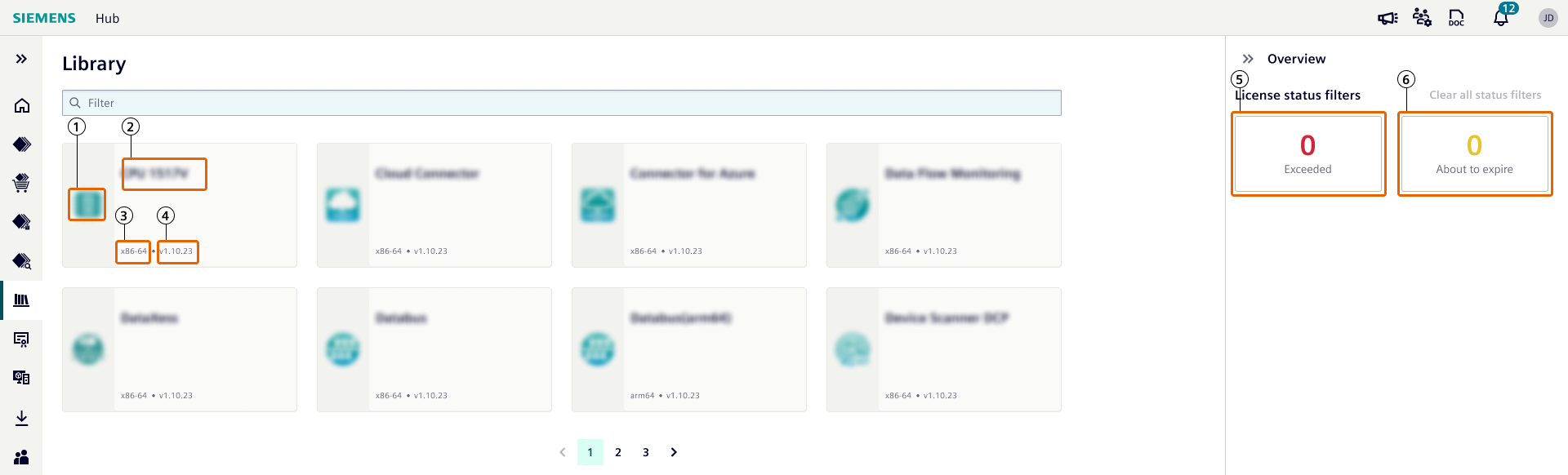
| ① | Product icon |
| ② | Product name |
| ③ | Architecture |
| ④ | Product version |
| ⑤ | Pre-defined filter for quick access to non-compliant products |
| ⑥ | Pre-defined filter for quick access to products using at least 1 license which is about to expire |
To purchase a license for a product, visit the Industrial Ege Marketplace.
By clicking a product tile, you can check the details of the respective product.
An example for details of a device application:
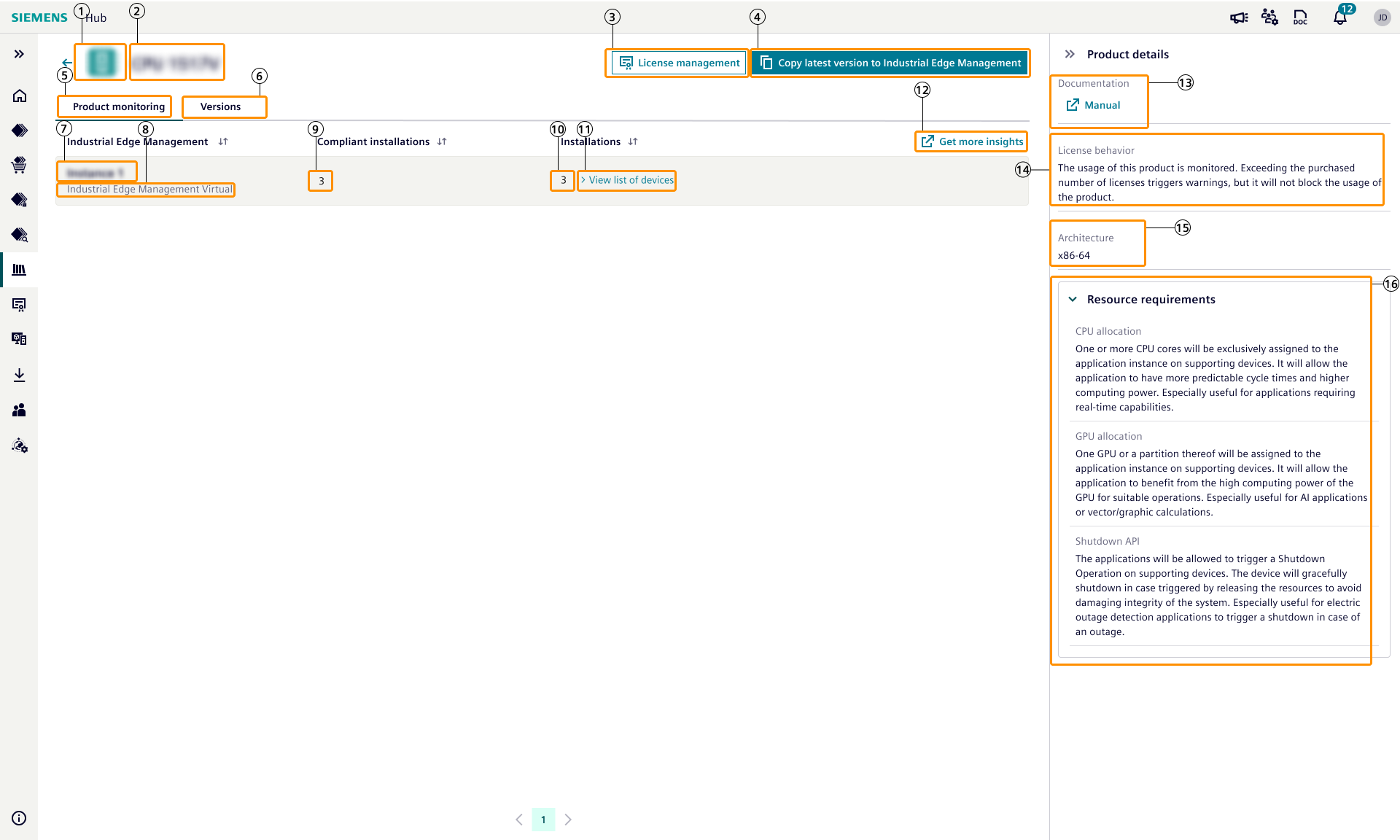
| ① | Product icon |
| ② | Product name |
| ③ | Redirection to license management and filtering licenses of viewed product. |
| ④ | Copying the latest version to Industrial Edge Management |
| ⑤ | Monitoring details is shown per Industrial Edge Management |
| ⑥ | Semantically latest version metadata is shown |
| ⑦ | Name of the Industrial Edge Management instance |
| ⑧ | Type of the Industrial Edge Management instance |
| ⑨ | Shows number of installations which has proper license per Industrial Edge Management instance |
| ⑩ | Shows total number of installations per Industrial Edge Management instance |
| ⑪ | Opens a modal which shows list of Industrial Edge Devices where viewed device application is installed |
| ⑫ | Redirection link to this document |
| ⑬ | Redirection link to the viewed product's documentation |
| ⑭ | Explains the license behavior of the product |
| ⑮ | Architecture |
| ⑯ | Resource requirements such as CPU, GPU, NIC and Shutdown are configured for the application. |
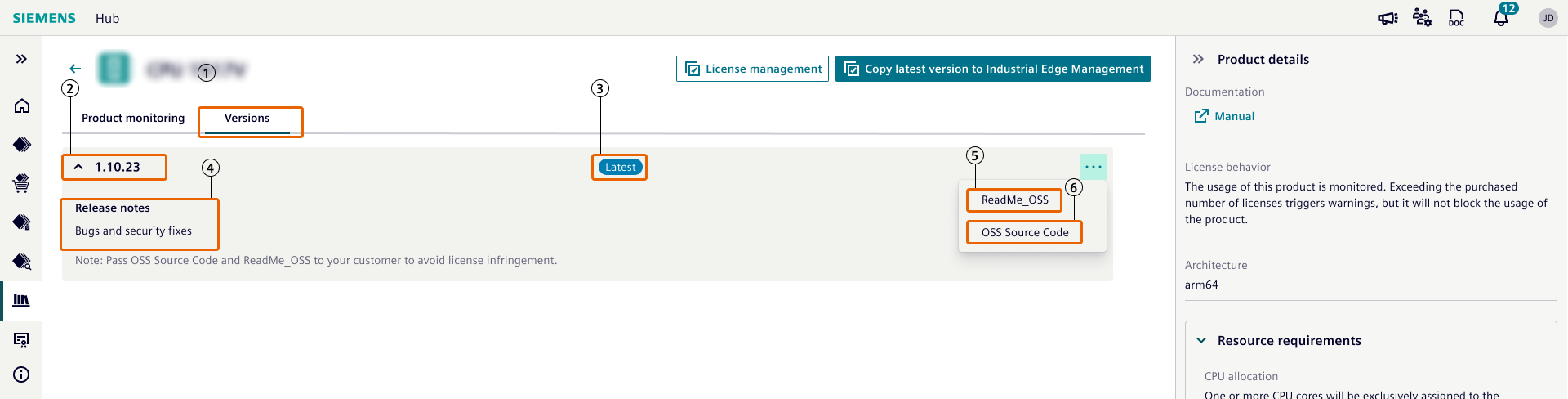
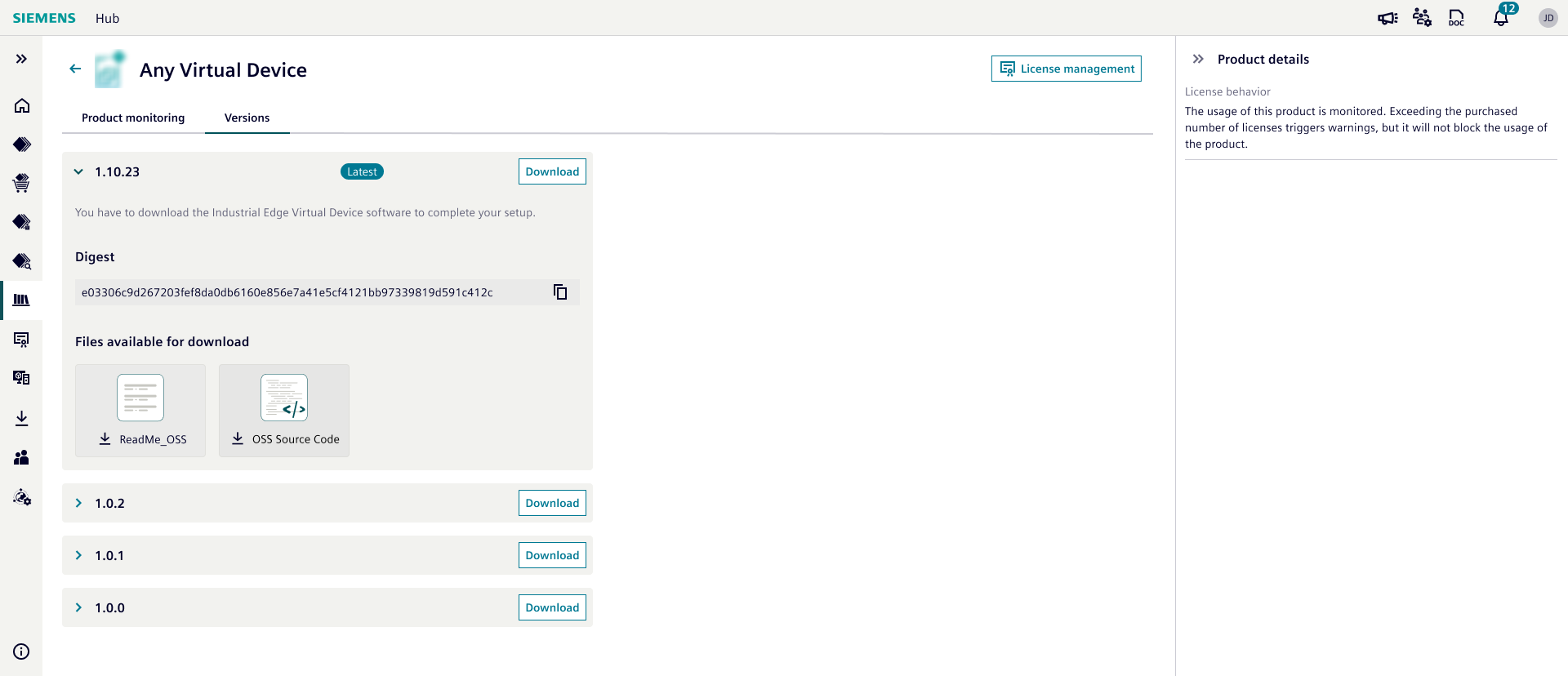
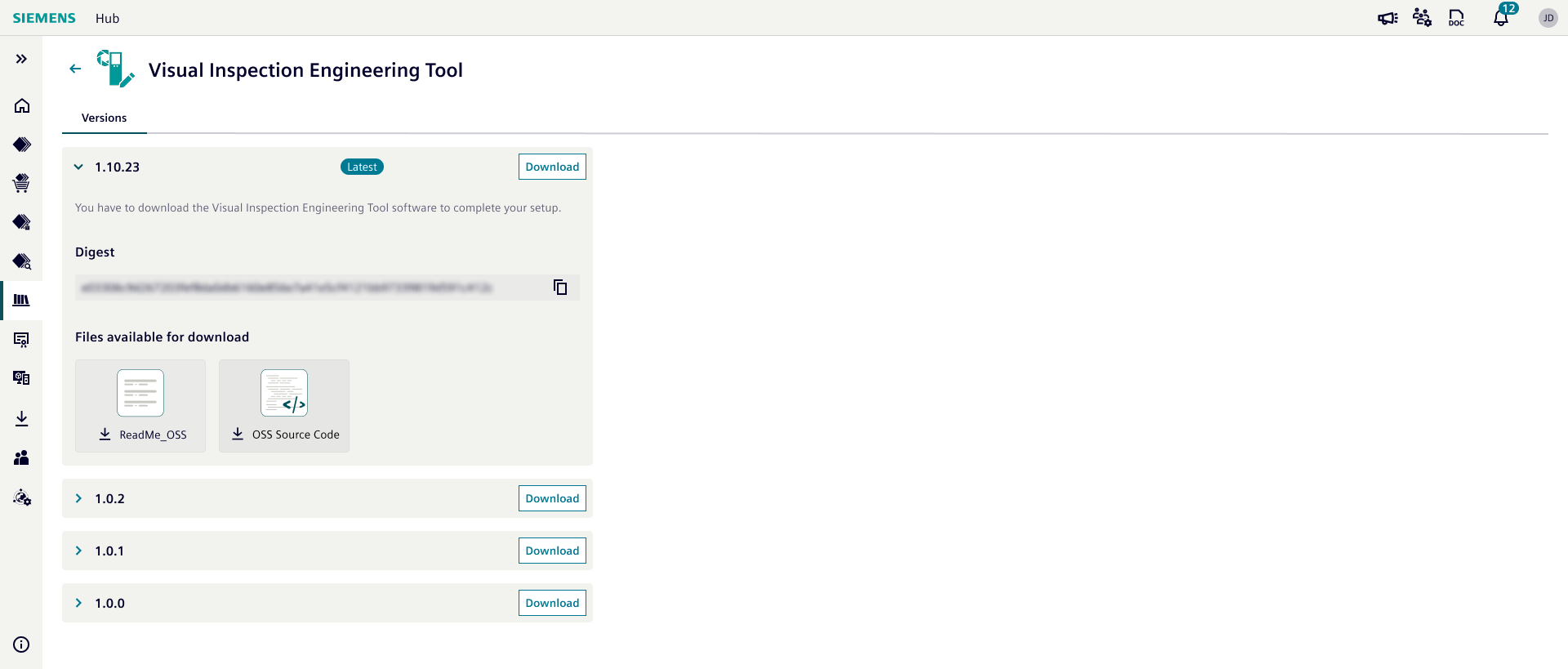
| ① | Versions tab |
| ② | Version number |
| ③ | Latest version indicator |
| ④ | Release Notes of the version |
| ⑤ | Readme_OSS file download |
| ⑥ | OSS Source Code file download |
NOTICE
For more details, refer to Copy apps to IEM instances.
Device List Modal
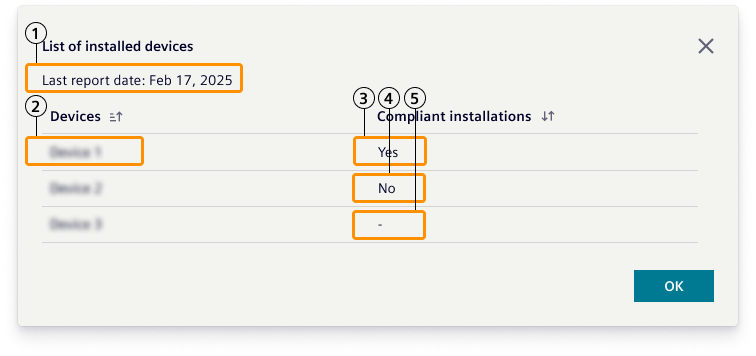
| ① | Last synchronization date of license data |
| ② | Name of the Industrial Edge Device |
| ③ | "Yes" indicates that a license directly assigned to this device |
| ④ | "No" indicates that no license found for this device |
| ⑤ | "-" indicates that a license assigned to Industrial Edge Management. In this case, users needs to decide if this device deserves the license assigned to Industrial Edge Management |
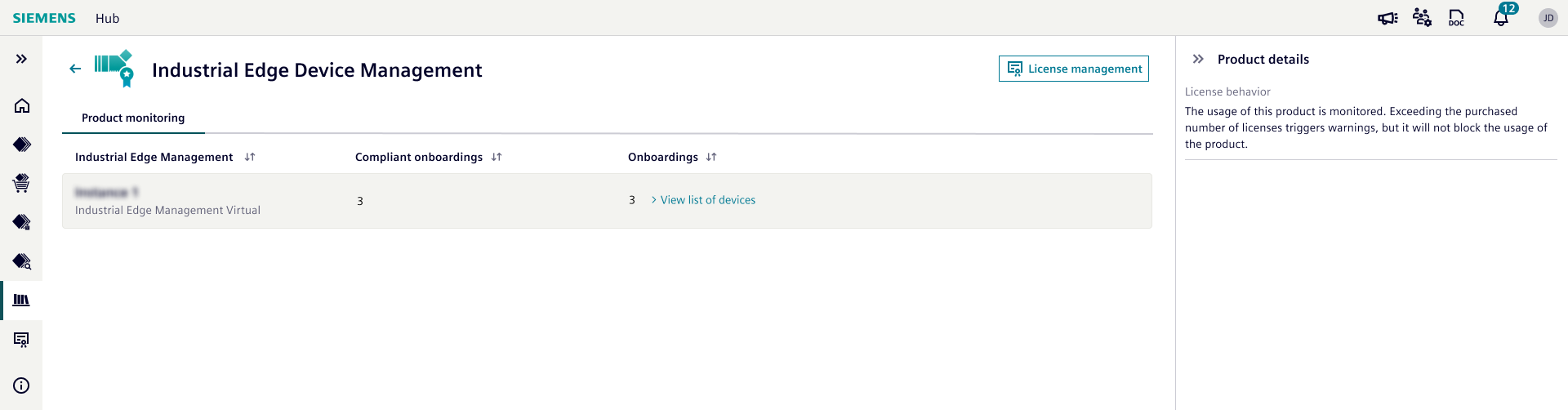
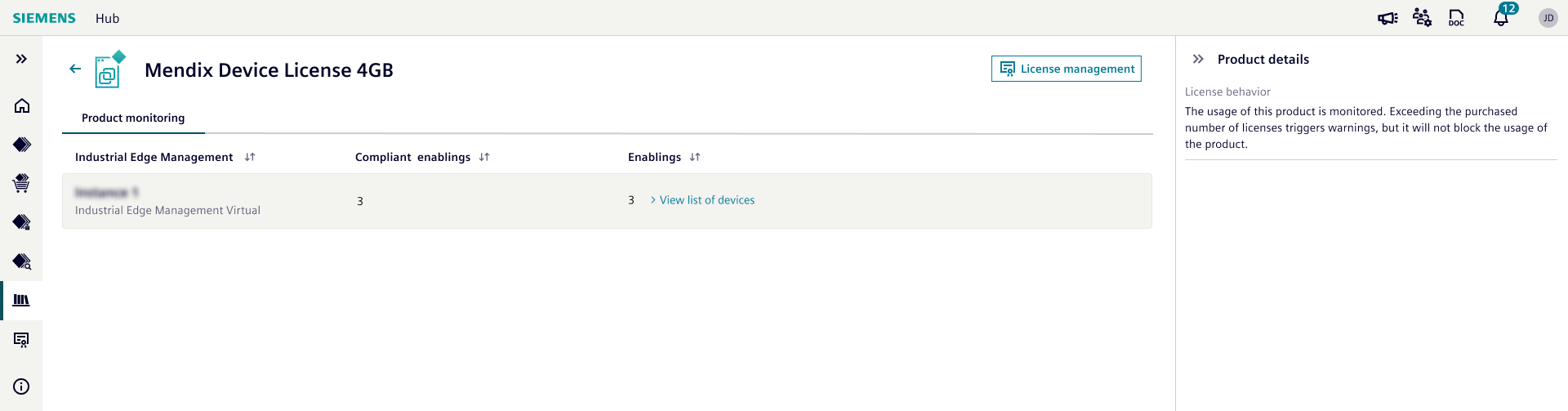
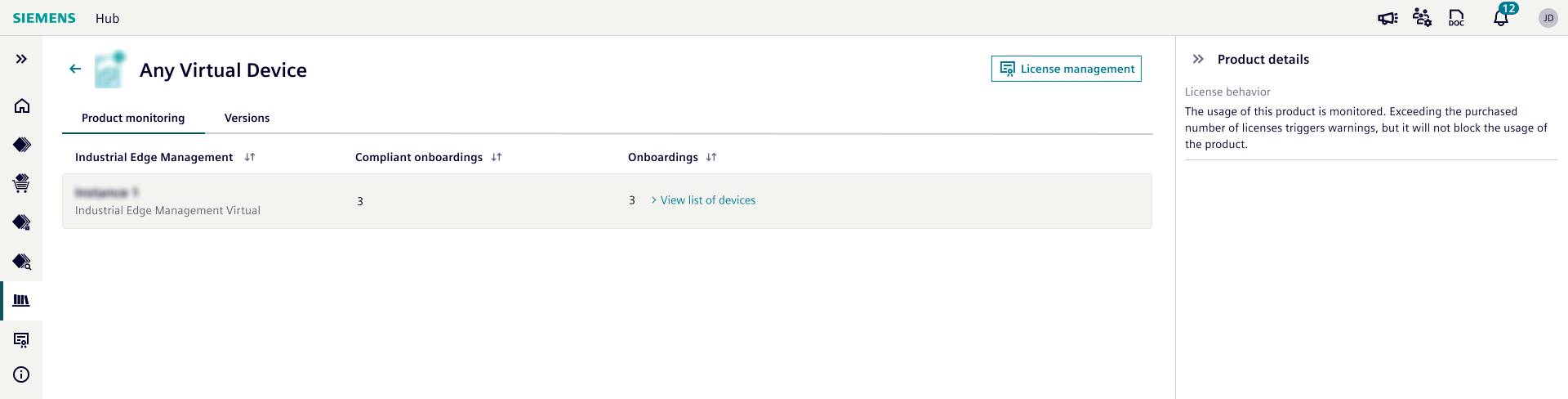
An example for details of:
NOTICE
The software package provides an SHA256 checksum to verify file integrity. For more information on file integrity verification, see Industrial Edge file integrity.
License Monitoring
License monitoring starts with synchronization of license data from Industrial Edge Management.
You find more information on synchronization of license data from the IEM to the IE Hub in the IEM Settings.
NOTICE
If an IEM instance is deleted from the IE Hub, license data that belong to the deleted IEM instance will be deleted too.
Industrial Edge Hub uses following parameters for license monitoring per product type:
- Device application: Number of installation
- Industrial Edge Device Management License: Number of onboarded Industrial Edge Devices to Industrial Edge Managements
- Mendix Device License: Number of Industrial Edge Devices which Mendix applications are installed.
- Virtual Devices: Number of onboarded virtual devices of the same type.
Industrial Edge Hub shows compliance warnings if number of installations / onboarding / enablement is more than number of licenses assigned to Industrial Edge Management or Industrial Edge Device.
NOTICE
Licenses can be assigned on License management menu. For more information on license assignment, see License management.

| ① | Indicates at least 1 product is not compliant in terms of licensing |
| ② | Indicates at least 1 license being used by a product is about to expire |
In the library section, the
 icon highlights the number of products which experiences a licensing issue:
- Compliancy issue
- At least 1 license which is about to expire.
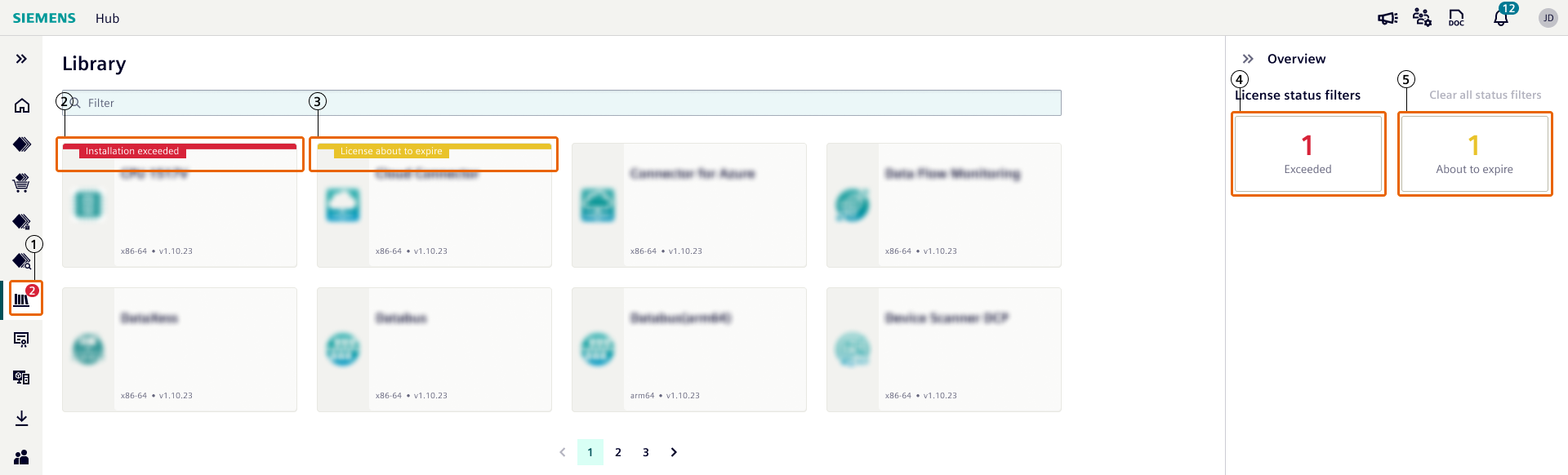
| ① | the number of products which experiences a licensing issue |
| ② | Exceeded warning |
| ③ | About to expire warning |
| ④ | Pre-defined filter for quick access to non-compliant products |
| ⑤ | Pre-defined filter for quick access to products using at least 1 license which is about to expire |
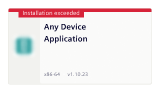
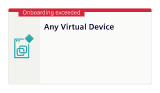
Exceeded warning text changes depending on the monitored parameters:

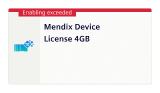
The detail of a device application with warnings:
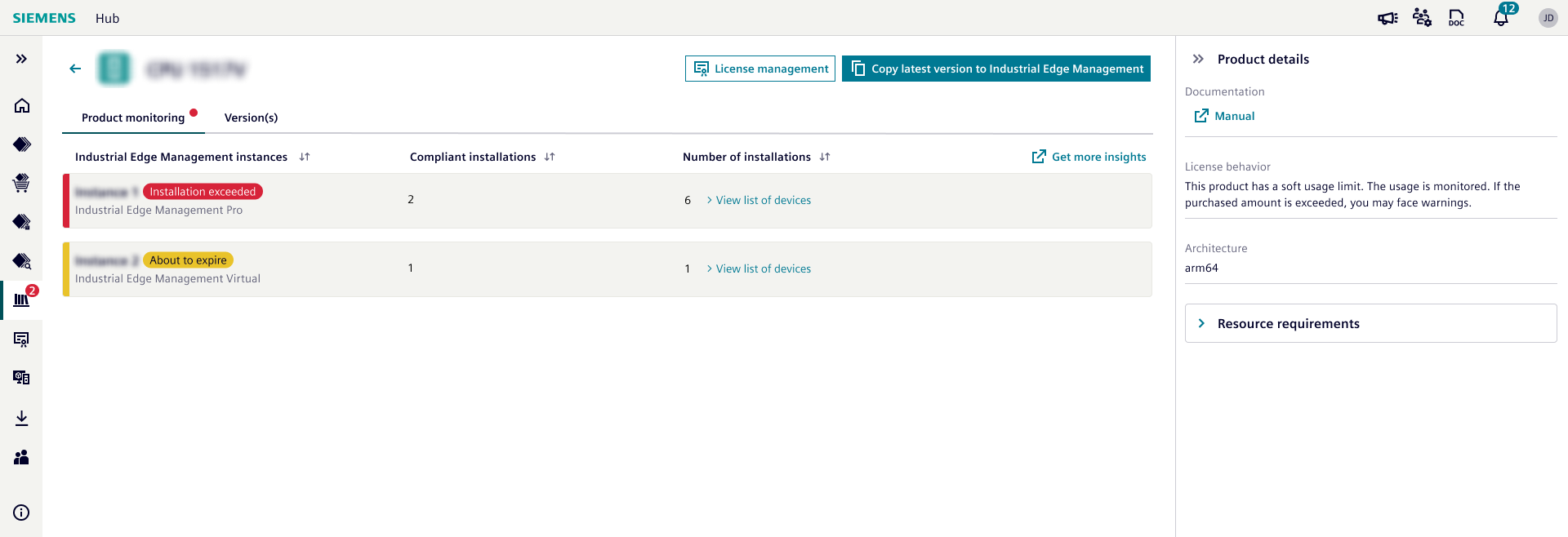
Solutions to resolve compliancy issue:
- Assign already purchased licenses to related Industrial Edge Managements or Industrial Edge Devices.
- Purchase more licenses from Industrial Edge Marketplace and assign new licenses to related Industrial Edge Managements or Industrial Edge Devices.
- Uninstall device applications / offboard industrial edge devices and synchronize license data from Industrial Edge Management.
NOTICE
Licenses can be assigned on License management menu. For more information on license assignment, see License management.