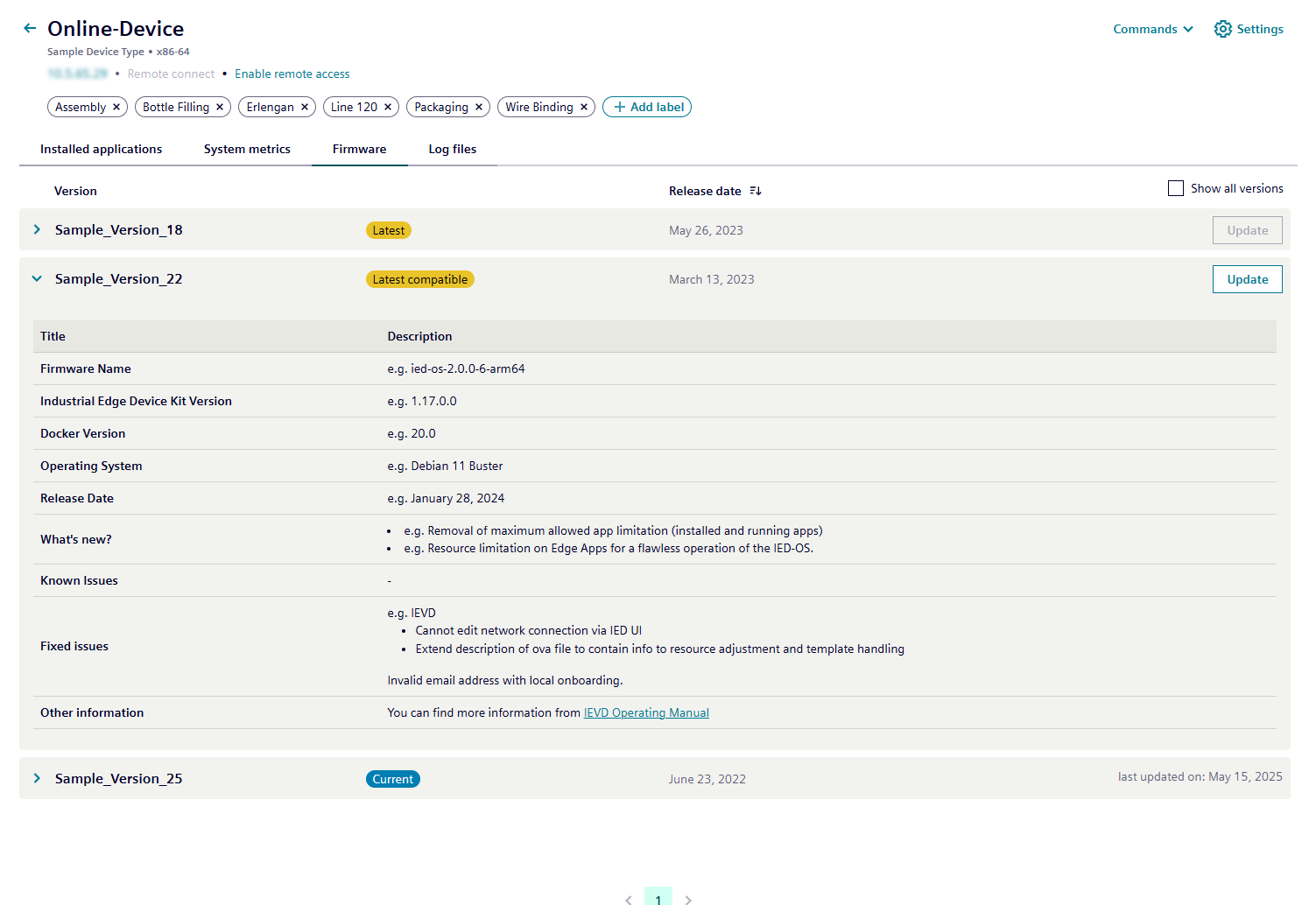
Firmware
In the firmware tab, you can update the device firmware.
The following information is available:
- Current firmware version: Displays the version currently installed on the device.
- Latest compatible firmware version: Shows the most recent version that is compatible with the device.
- Latest available firmware version: Indicates the newest firmware version available.
By default, the Show all versions option is cleared when the page opens.
Firmware versions are sorted by release date, with the most recent version displayed first.
| Info | Description |
|---|---|
| Current | Current firmware release version on the device. |
| Latest Compatible | Most recent published firmware release version that the device can be updated to. |
| Latest | Newest firmware release version published for the device type associated with the onboarded device. |
| Last Updated At | Date when the device was last updated. |
| Release Date | Date when the firmware release was published. |
If you select Show all versions, all versions are displayed. You can reorder releases according to their release dates. You can access other versions with the pagination buttons at the bottom of the page.
You can access release notes for the exact firmware version you are updating to. They provide detailed information about new features and fixes.