Overview
The IEM Instances screen lists all existing IEM instances and provides the following functions:
- Creation of new IEM instances
- Management of IEM instances
When you create a new IEM instance, the IEM instance is added to the table and a configuration file is created. This configuration file contains the configuration for the IEM that you need to set up the IEM instance.
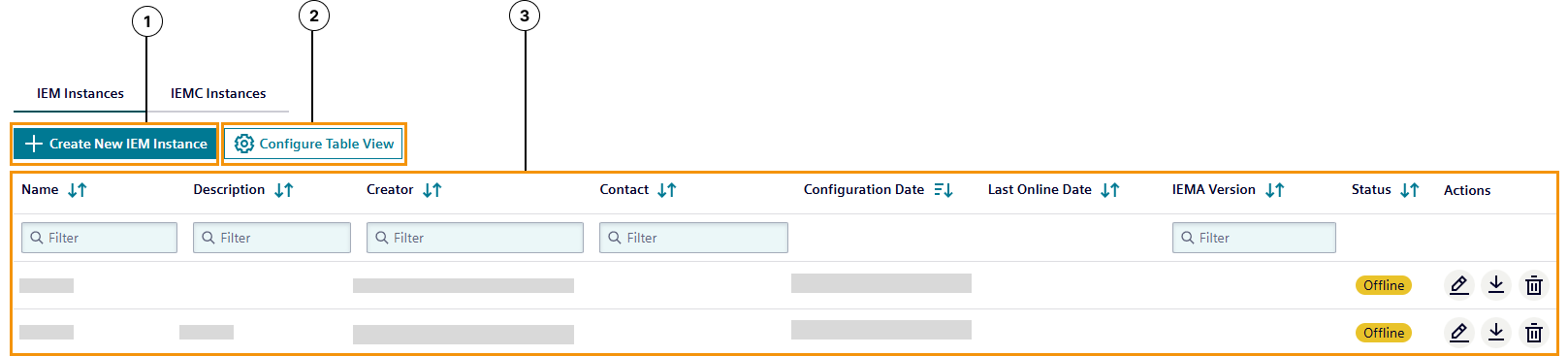
The following figure shows the IEM instances screen as an example:
 The following figure shows the
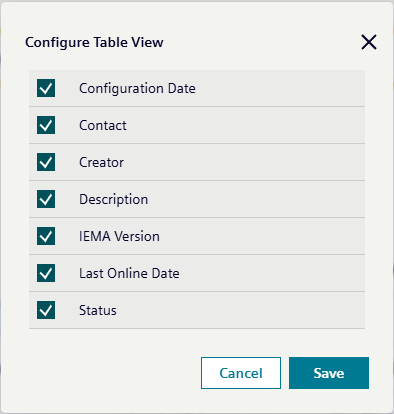
 Configure Table View popup as an example when Configure Table View clicked:
| ① | Create New IEM Instance |
| ② | Configure Table View
Table coumns can be configured by clicking the `Configure Table View` button. |
| ③ | IEM instances table
Listed IEM instances inclusive following information:
|