Manage IEM Instances
Create an IEM instance
When you click Create new IEM instance, you create an IEM instance and the according configuration file which you need for setting up your IEM instance.
Edit IEM instance description
To edit (or to add) an IEM instance description, click the
 icon of the respective instance.
Enter the description and save the changes by clicking
icon of the respective instance.
Enter the description and save the changes by clicking Save.
Download an IEM configuration file
To download an IEM configuration file, click the
 icon of the respective instance.
The configuration file is downloaded to the standard download folder of your Internet browser.
icon of the respective instance.
The configuration file is downloaded to the standard download folder of your Internet browser.
Delete an IEM instance
-
Click the
 icon of the respective instance.
A warning is displayed.
icon of the respective instance.
A warning is displayed.
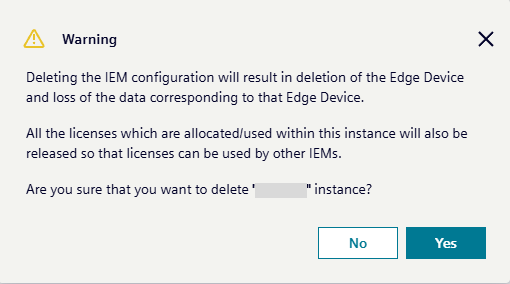
-
If you delete the IEM instance, all data corresponding to this IEM instance will be deleted irrecoverable. To confirm the deletion, click
Yes.
The IEM configuration is deleted from the IE Hub.