Management Applications
This section will guide you through understanding and navigating your Management Applications within the IEM.
Overview
Unlike Device Applications, which run directly on your Industrial Edge Devices, Management Applications are executed on the IEM itself as Kubernetes applications. You can easily install them directly from the Management Application overview page using a convenient pulling mechanism, making deployment straightforward.
Management Application overview
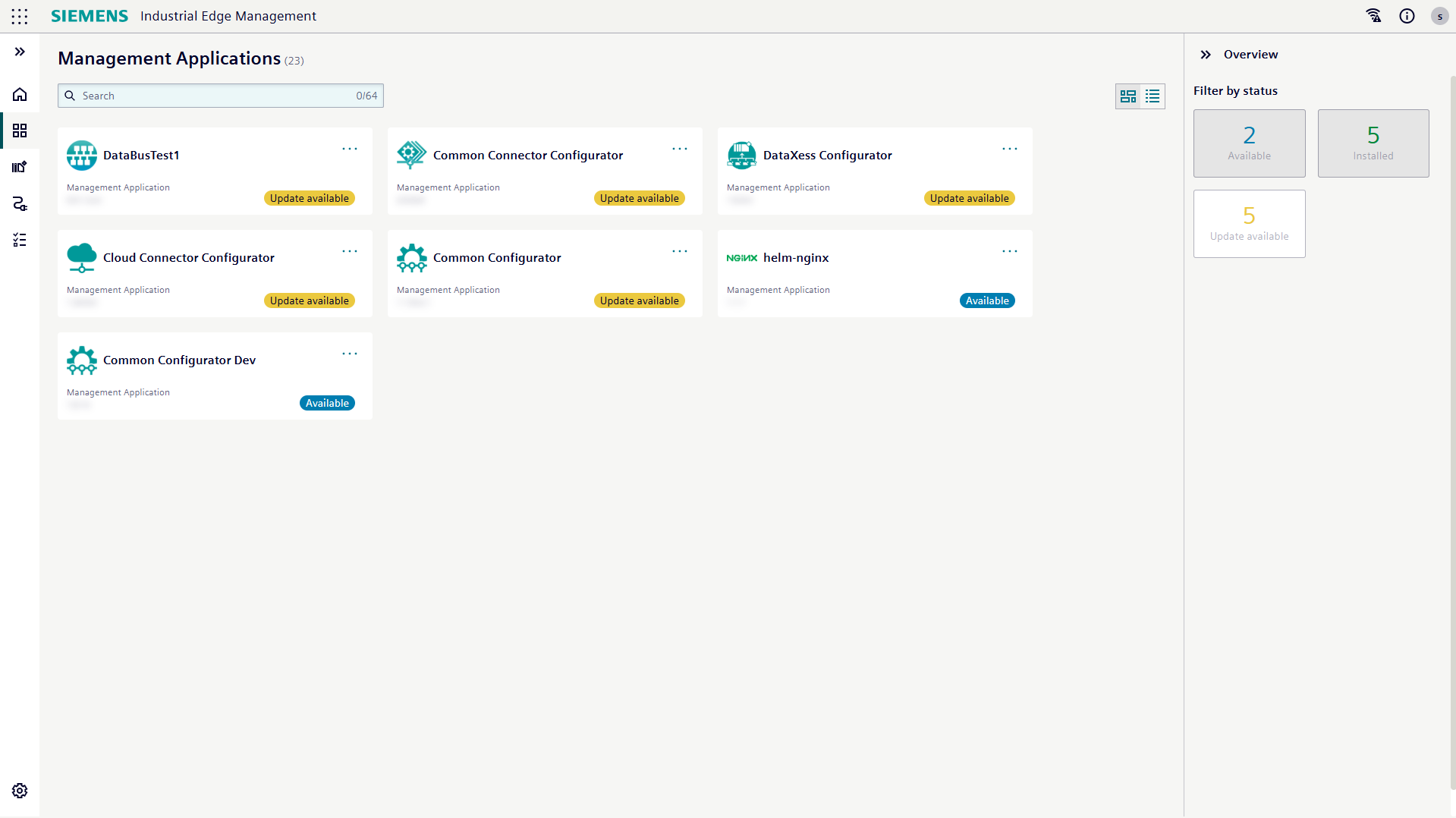
Just like with Device Applications, your Management Applications have a dedicated overview page designed to help you effortlessly manage and monitor them. It provides an organized view of your available applications, their current versions, and all the relevant actions you can take. You can choose how you want to see your applications with two flexible display options:
- Card view: Displays applications as visual cards for an intuitive, graphical representation
- List view: Presents applications in a structured list format for efficient scanning and sorting
When you select a specific application, the right side of the page transforms into a panel, providing comprehensive information:
- Application description: This section displays the description of the selected application, outlining its purpose and functionality.
- Version information: Here, you will find all the details for each version of the app, including the version number, its installation status, and the timestamp of its installation (if applicable). For transparency and compliance, you will also find options to download the OSS Readme and the OSS Source Code. From this section, you can also initiate the installation of a specific version.
The Management Application overview page also provides quick action menus, allowing you to directly manage your applications. These actions include:
- Install application: You can install a specific version of a Management Application directly from its version information in the details panel, or via the quick action menu.
- Update application: Keep your app up-to-date! If an update is available, you can initiate it directly via the quick action menu.