Sign up
Requirements
- You have purchased access to the Industrial Edge Hub.
- You have received a welcome email containing the URL of the Industrial Edge Hub.
Procedure
-
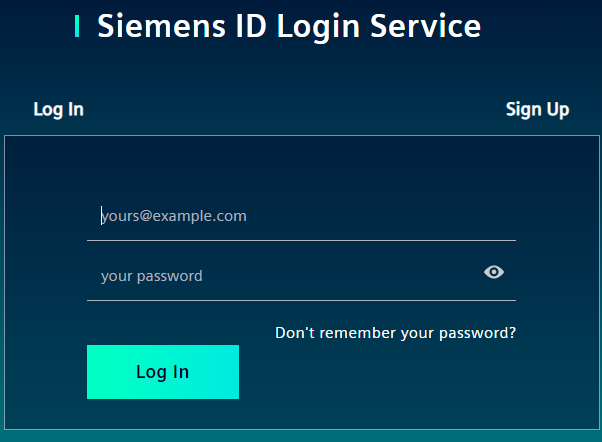
After you have received the welcome email containing the URL of the Industrial Edge Hub, open the Industrial Edge Hub by clicking the link in the welcome email.
-
Click the
Sign uptab. -
Enter the following parameters in the according input fields:
- Email address: Email address that has been specified for the Industrial Edge Hub access
-
Password: Password to log in to the Industrial Edge Hub
NOTICE
Password requirements The password must meet at least 8 characters, 1 upper-case letter, 1 special character and 1 number. - First name: First name of the email user - Last name: Last name of the email user
All input fields are mandatory.
-
Read and accept the terms of use.
-
Click
Sign Up.The
Welcomescreen is displayed.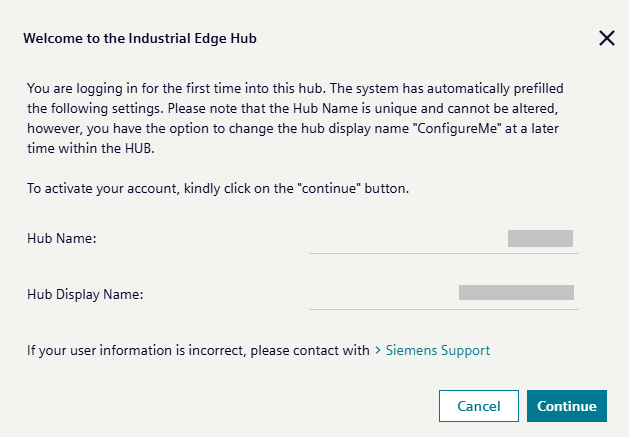
-
Check your data.
-
If everything is correct, click
Continue.NOTICE
Incorrect data If the data is incorrect, click the link to contact the Siemens support.
The
Universal Customer Agreement and export control compliancescreen is displayed.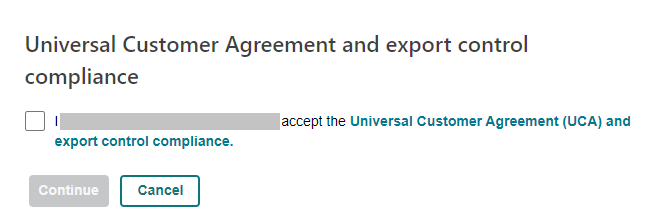
The displayed screen is common for all countries.
-
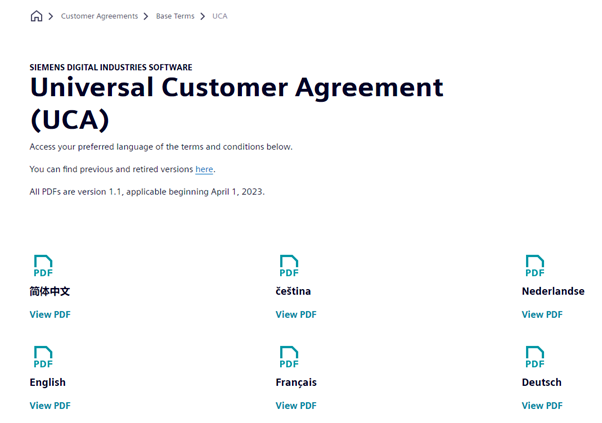
Before entering the Industrial Edge Hub, click the link in the screen and read the export regulations in your preferred language, sample languages here.
-
Accept the Universal Customer Agreement and export control compliance by selecting the checkbox.
The acceptance will be logged in the Industrial Edge Hub database along with the date of acceptance and will be valid for 90 days.
-
When check box is selected, click
Continue.The homepage of the Industrial Edge Hub is displayed.
NOTICE
Recommendation To avoid account problems in the future due to having only one hub admin, it is recommended to create another hub admin user once you have logged in to IE Hub. You can follow the instructions defined on the inviting a new user page to create a user with the
HUB_ADMINrole.