Delete Device Applications
This page guides you through the process of deleting Device Applications or specific versions of Device Applications within the IEM. Deleting an application or version can help manage your application lifecycle and storage.
Overview
When you delete a specific version of a Device Application, several actions and considerations come into play:
- Removal from IEM: The selected application version is permanently removed from your IEM. This means it will no longer be visible or available for installation by any IEM user.
- Impact on Docker Images and storage:
- Shared Docker Images: If the Docker image associated with the deleted application version is also used by other versions of the same application, or by other applications entirely, the Docker image itself will remain in the database. In this scenario, the storage occupied by that image will not be freed up, as it's still required by other entities.
- Unique Docker Images: If the Docker image is not shared with any other application versions or applications, then the image will also be removed from the database, and the corresponding storage will be freed up. You can verify this change in storage usage within the "Storage Management" overview, accessible via the settings page in your IEM.
- Backup & restore: Deleting an application version can affect the restoration of backups. If a backup contains an application that relies on the version you are deleting, that specific application might not be restorable from that backup. This is a critical point to consider before proceeding with deletion.
NOTICE
Prerequisites To delete application versions, the following prerequisites have to be fulfilled:
-
Permissions:
- You must have the necessary permissions within your IEM user account to delete application versions.
- This applies also for
appimporter: you need to have dedicated permission to delete the application/version. - Hub application versions can only be deleted by Admins. Careful consideration:
- Always ensure you no longer need the specific version, especially considering the backup implications, before proceeding.
- We strongly recommend to uninstall the application version to be deleted from any device beforehand.
Same applies to the deletion of an entire Device Application.
How to delete a Device Application Version
Deleting an application or version is an irreversible action, so please proceed with care.
- Navigate to your Device Application
- Select the application
- Access the
Version informationtab - Choose the version to delete
- Initiate deletion
- Review and accept the warning message
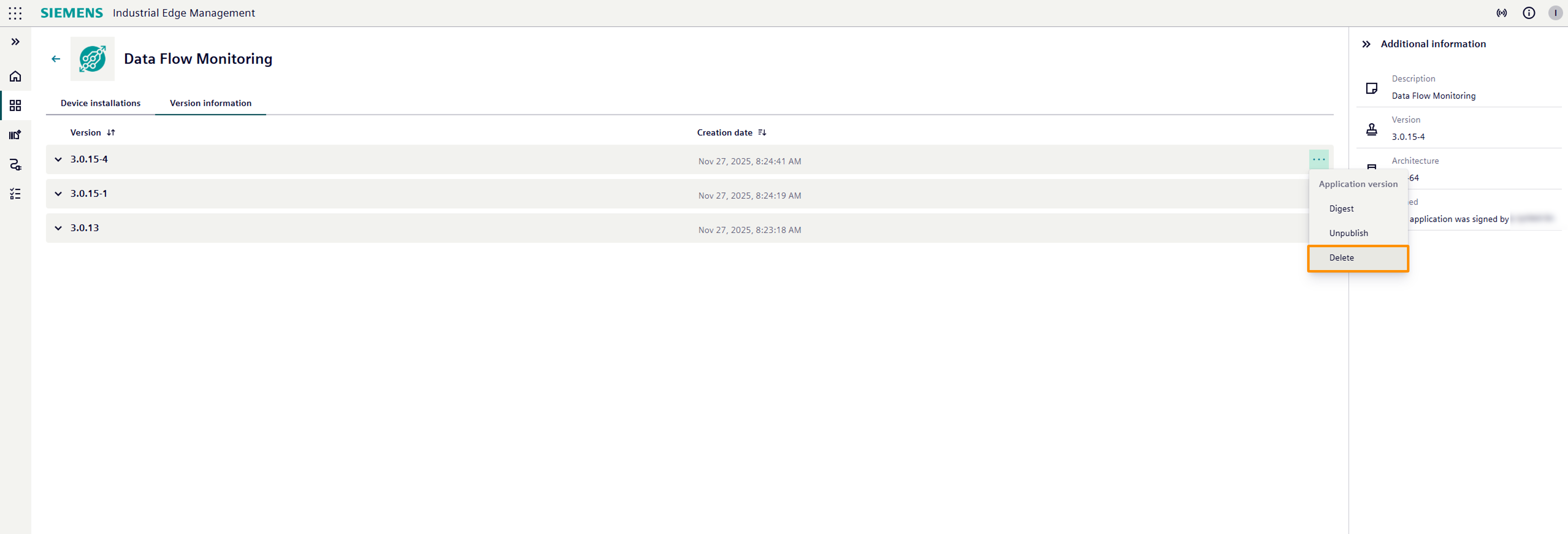
Once confirmed, the selected application version will be permanently removed from your IEM. By deleting the last version of your application, the application will be empty in your IEM, no installable versions will be available anymore.
Similarly a complete application can be deleted including all versions. Same prerequisites apply.