Create new role
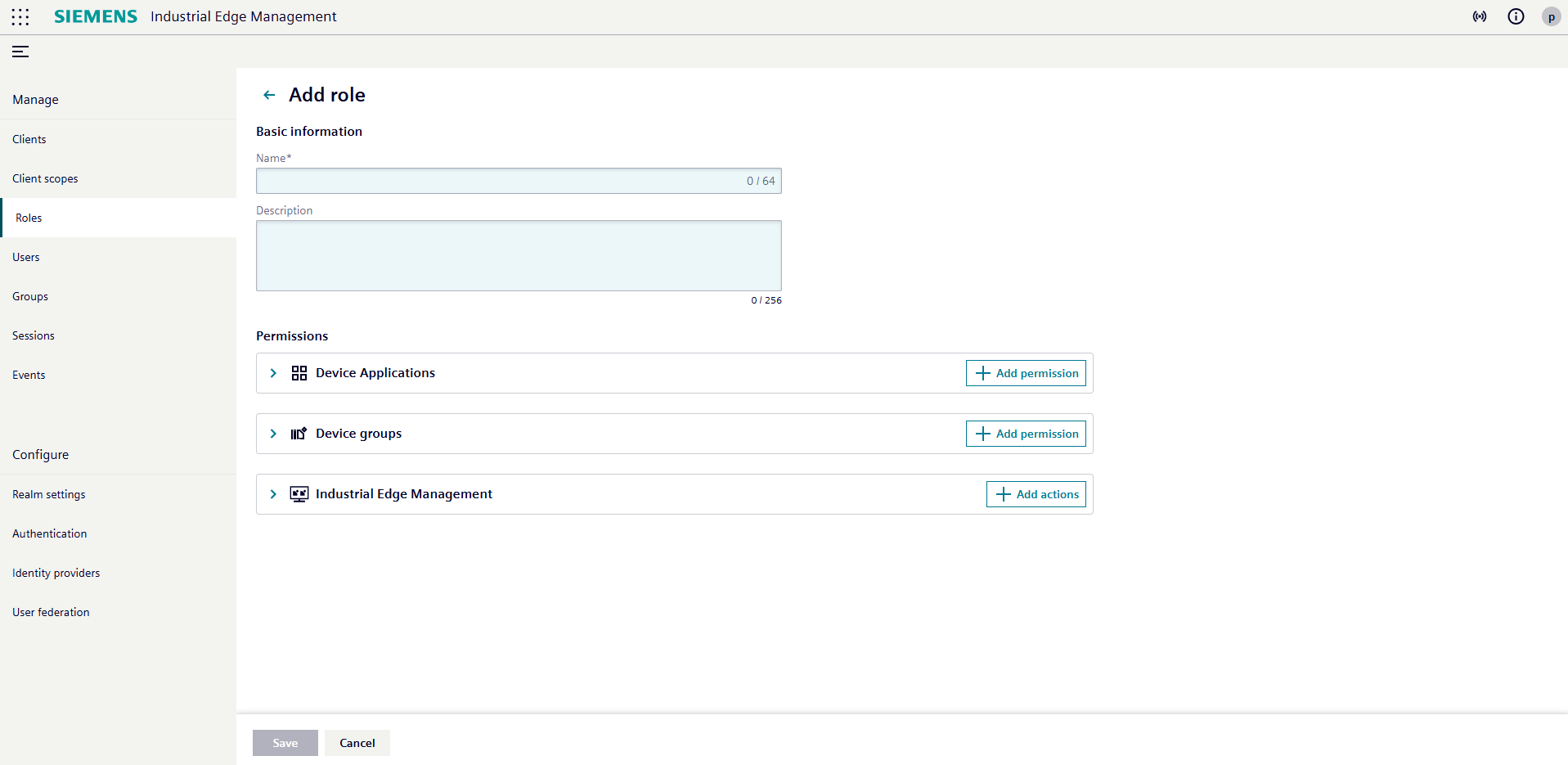
On the roles page, you can view all default and custom roles. To create a new role, click the Add role button.
When creating a new role, enter a name and, optionally, a description. You can then select a combination of actions and resources to define the permissions for this role.
Prerequisite
To create roles, you must have the Admin role of the ie-management client.
Adding Permissions for Device Applications
To assign permissions for device applications, you can either:
- Add specific application IDs, or
- Toggle the option to select all current device application IDs and automatically include future application IDs as they become available.
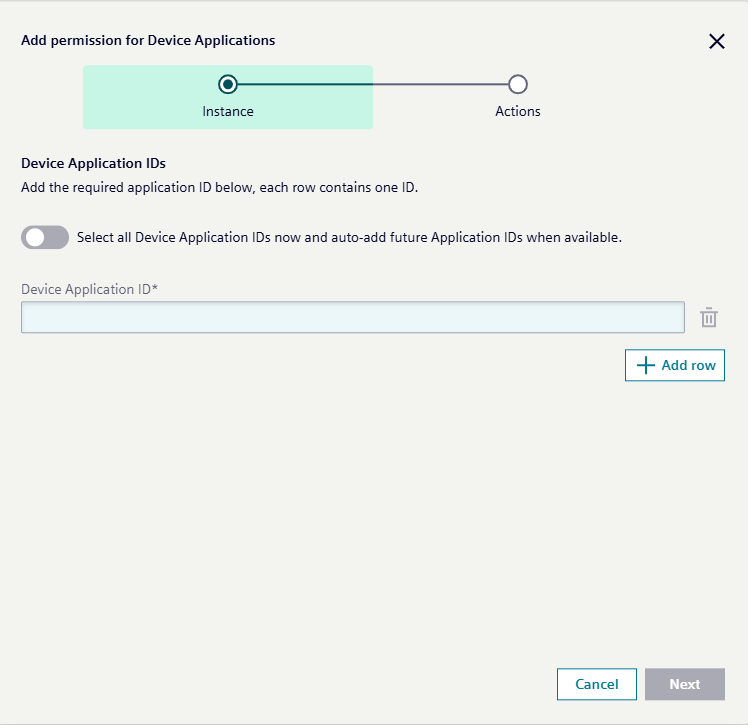
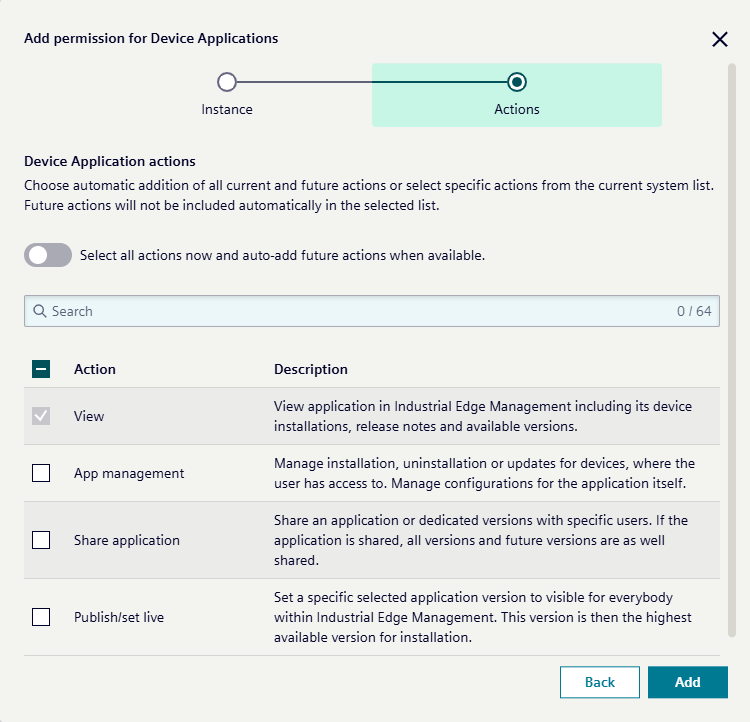
Click Next to proceed. You can now choose which actions can be performed on the selected device applications. You may either automatically include all current and future actions, or manually select specific actions from the system list.
Adding Permissions for Device Groups
Similar to device applications, to assign permissions for device groups, you can:
- Add specific device group IDs, or
- Select all current device groups and automatically include future device groups as they become available.
You can then choose which actions can be performed on the selected device groups. Two categories of actions are available:
- Device-level actions: actions performed on the devices within the selected group, such as firmware updates or app management. See the device actions list for the full set.
- Group-level actions: actions that control access to the device group itself, including
View group,Manage devices, andManage user. See the group actions list for details.
Actions may be automatically included for all current and future options, or you can manually select specific actions from either list.
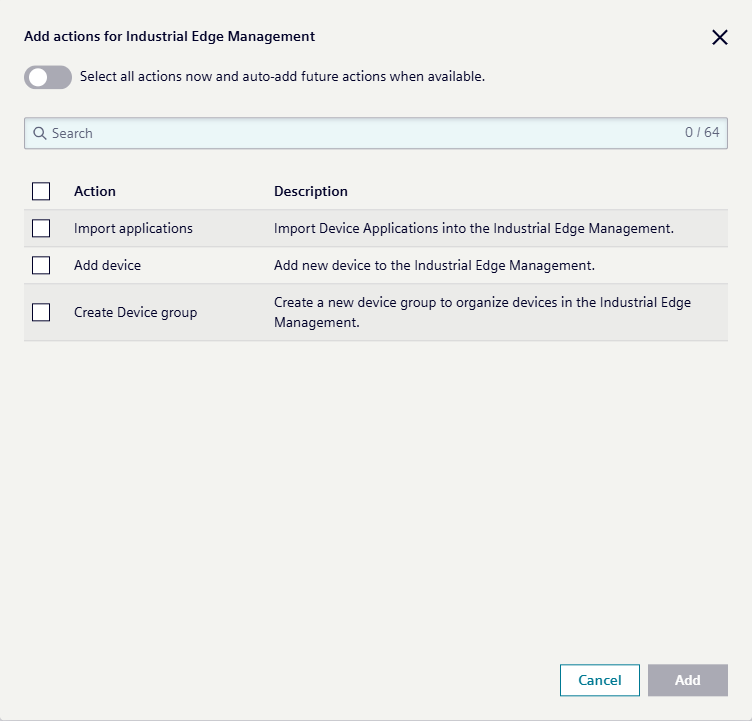
Adding Actions for Industrial Edge Management
You can assign specific actions for Industrial Edge Management (IEM) to this new role. Choose individual actions, or toggle the option to automatically include all current and future actions as they become available.
For a complete list of available actions, refer to the system list.
After you have finished adding permissions and selecting actions for your new role, click the Save button to complete the role creation process.