Home
After you log into the IE Hub, the Home screen of the IE Hub is displayed.
The following figure shows the IE Hub home page:
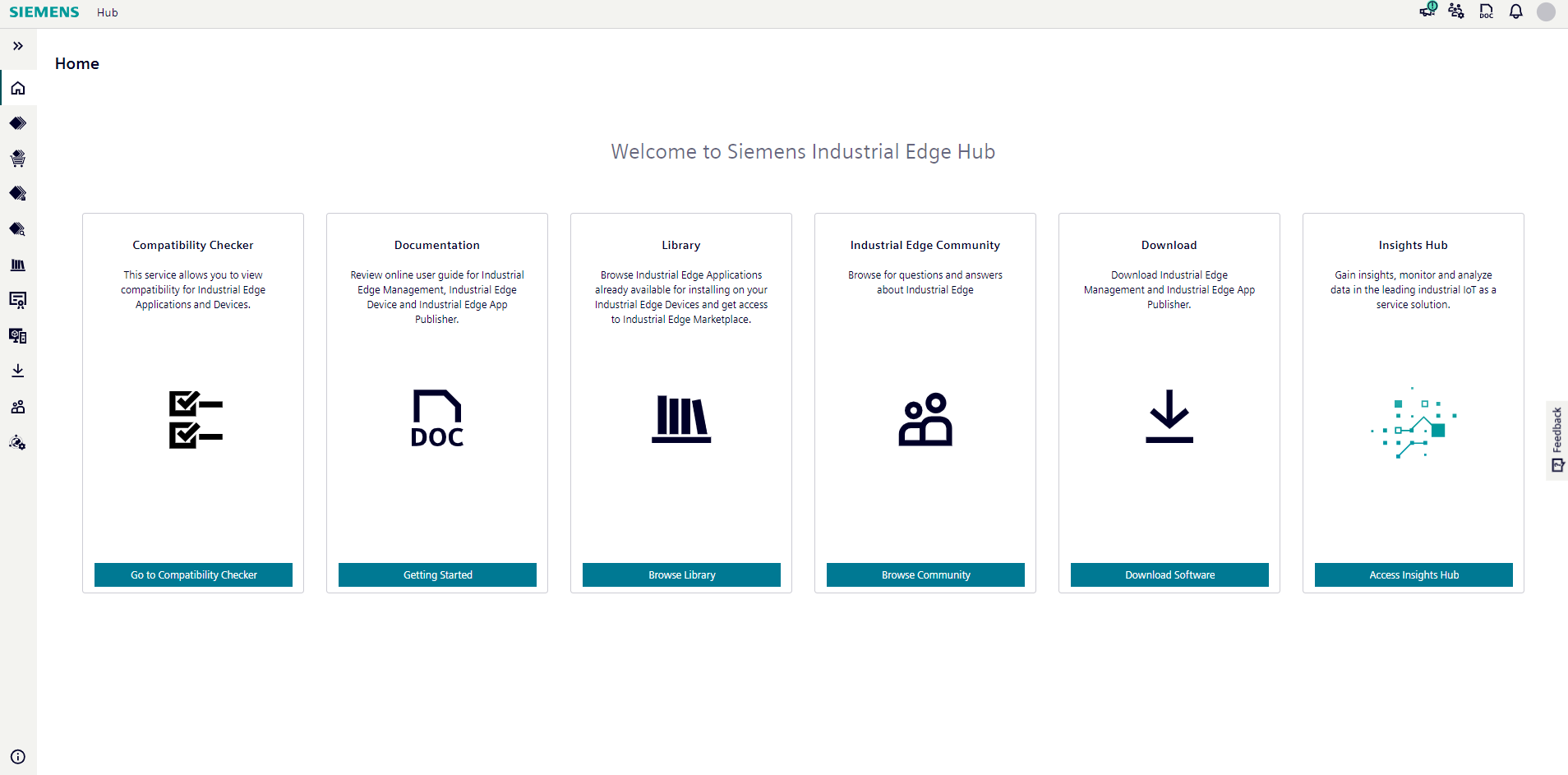
By clicking the button within the tiles, you navigate to the according section.
The IE Hub provides the following navigation menu for all users:
- Home
- Library
- License management
- Product management
- IEM instances
- Download software
- User management
- Hub settings
Depending on the requested role in the Industrial Edge ecosystem, additional pages can appear in the IE Hub menu:
- Application provisioning
- Application selling
Notifications
By clicking the  icon, the
 Notifications screen with all notifications referring to the IE Hub is displayed.
For example, whenever 1 of the following events occur, the according notification is displayed in the Notifications screen:
- Purchased Edge Device licenses
- Purchased Edge App licenses
- Releases of new Industrial Edge Management OS
- Releases of new Industrial Edge Device OS
- Releases of new Edge App versions
- Updates of Edge Apps
IE Hub under maintenance
When the IE Hub is under maintenance or when new features and components are getting deployed, the following message will be displayed in the IE Hub.

In this maintenance interval, you cannot use the IE Hub. After the required work is done, the message is removed from the IE Hub and you can use again the IE Hub.