Deployment of your first app on an Industrial Edge device
It is necessary to have an onboarded IE Device in your IEM
If you haven not already onboarded an IE Device, you need to do this first. For more information about how to onboard your IE Device, please refer to the official documentation.
If the file transfer to the IEM is successful, you can open the IEM's web view and navigate to your project's app icon. Click on the icon, and your app's first version should be available, as shown in the picture below.
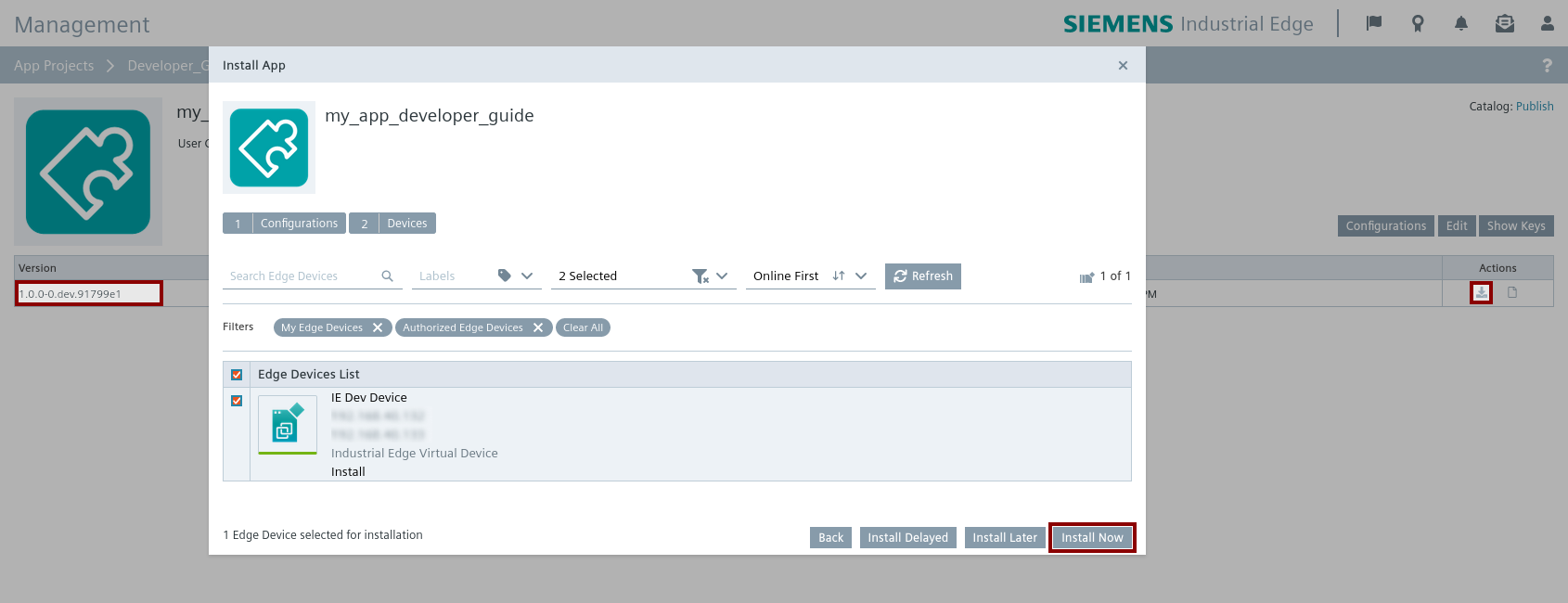
Click on the download icon of your version, and a new window to install the app is opened. Select the IE Device of the list, on which the app should run. Click on the 'Install now' button to execute the deployment to the IE Device immediately. This will take a while.
Connect to your IE Device
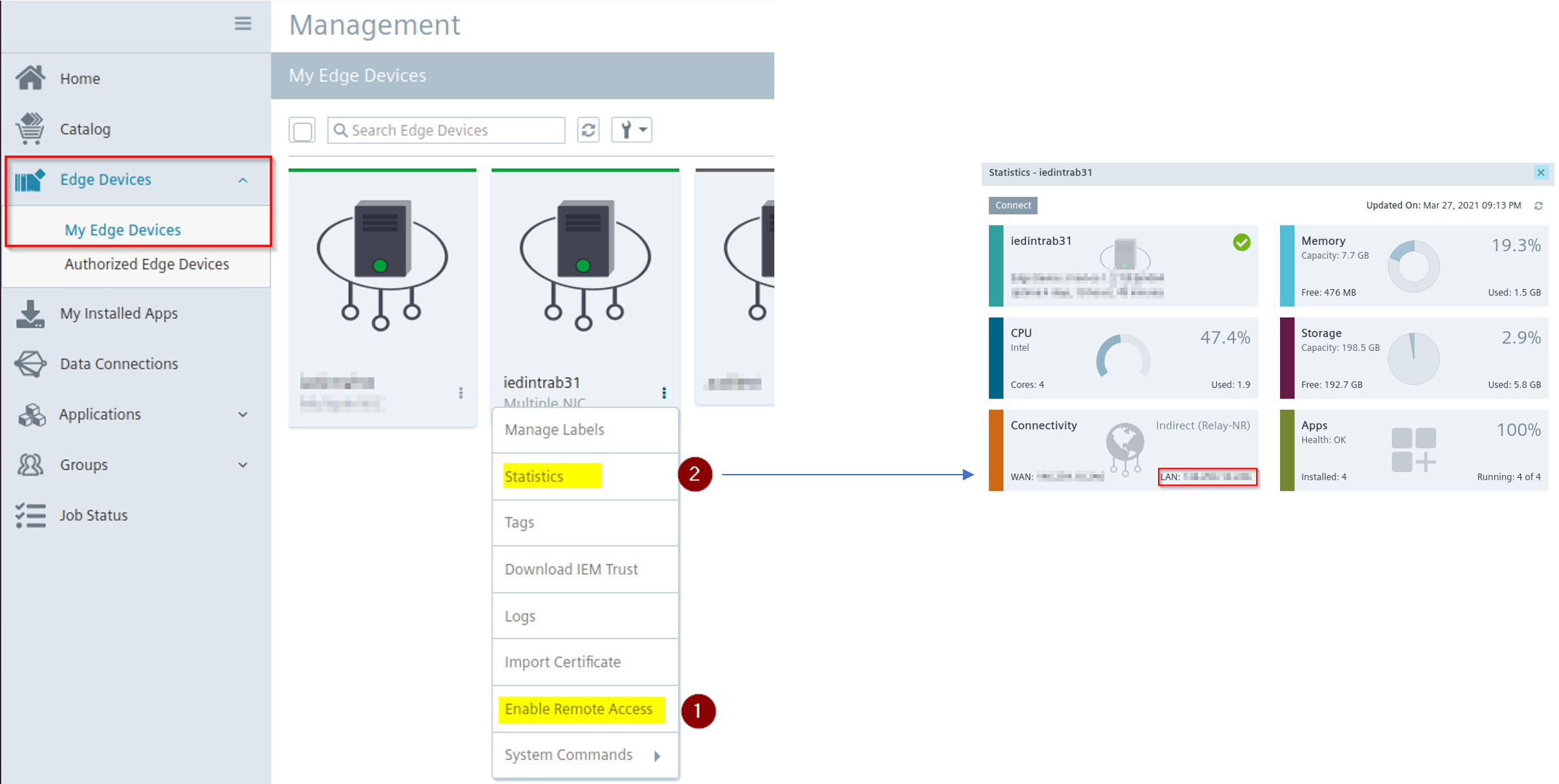
In the meantime, you can connect to the IE Device in which the app is being installed. This can be done in two ways:
-
Enable remote access and, once enabled, click on the IE Device icon to open the IE Device website.
-
Find the IP address in the statistics and open https://xxx.xxx.xxx.xxx/ with the IP address inserted. This way is preferred.
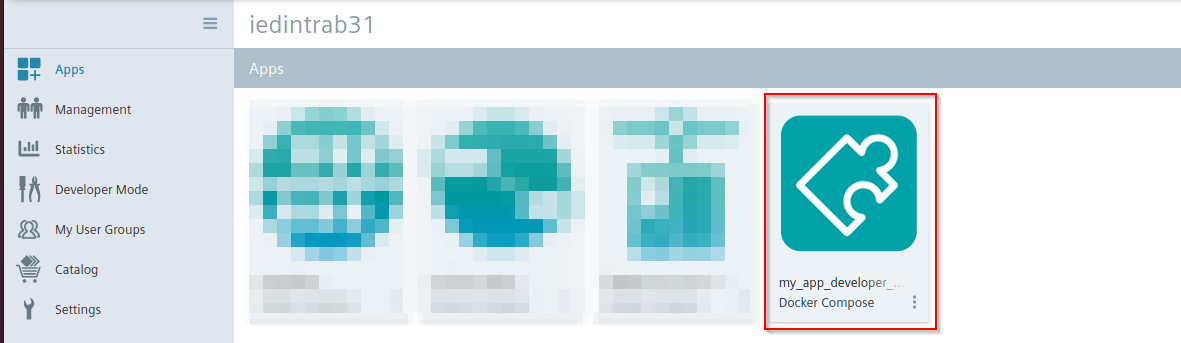
Navigate to the Apps tab in your IE Device. If you do not see your app icon in the view, click on the flag icon in the upper right corner to see the status of the app deployment. When the app deployment of your first app is successfully done, you will see the icon as shown in the figure App successfully deployed on IE Device.
Open your app on IE Device
By clicking on your app icon, a new tab in your web browser is opened. The reverse proxy opens the InfluxDB login page, which you previously configured.
You have successfully deployed your first app to an IE Device.
As we do not have the system app Databus running, the 'data-analytics' container is not working as it is not connected yet.
NOTICE
For further states information about your app or getting logs of your containers, you can enable the Developer Mode in the settings of the IE Device
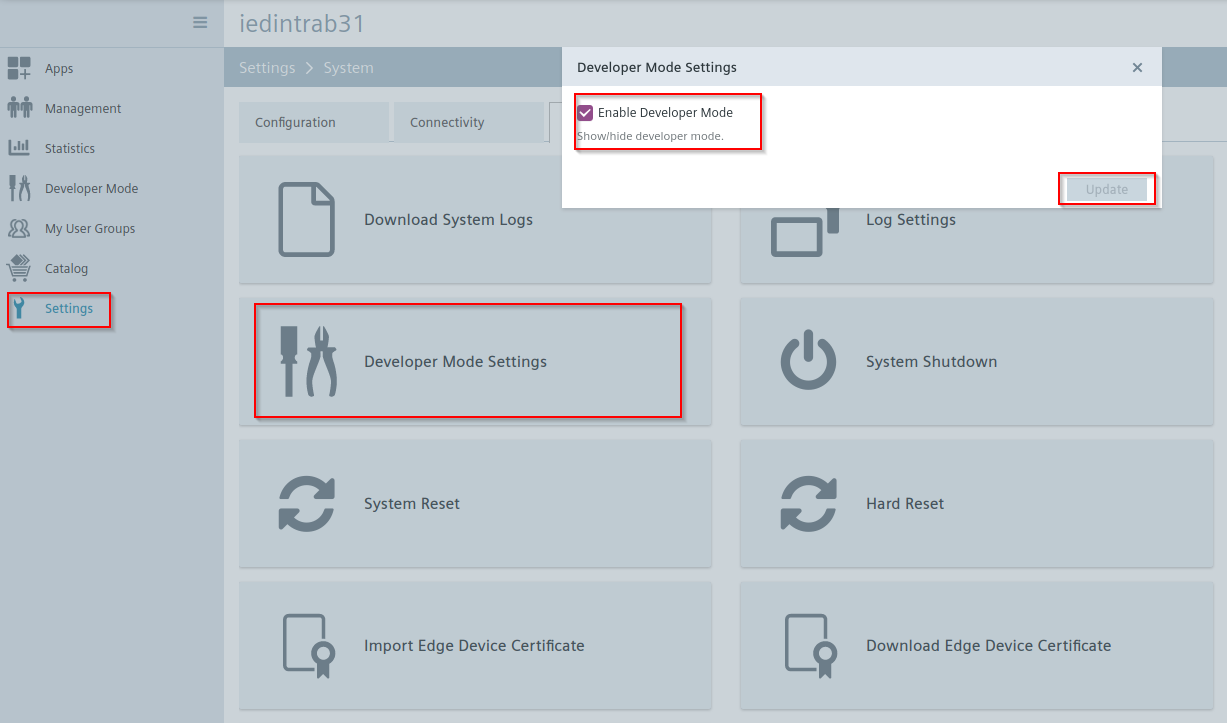
If the app is not working, this might be useful to get detailed information about the error.