Setting up IE Hub
Industrial Edge Hub (IE Hub) is the single-entry point to the Industrial Edge ecosystem. IE Hub is the centralized repository for Industrial Edge's software packages, applications, resources, and documentation.
Ordering Industrial Edge Hub Access
Industrial Edge Hub Access is available free of charge on the Marketplace. Order Industrial Edge Hub Access first before using Industrial Edge Hub.
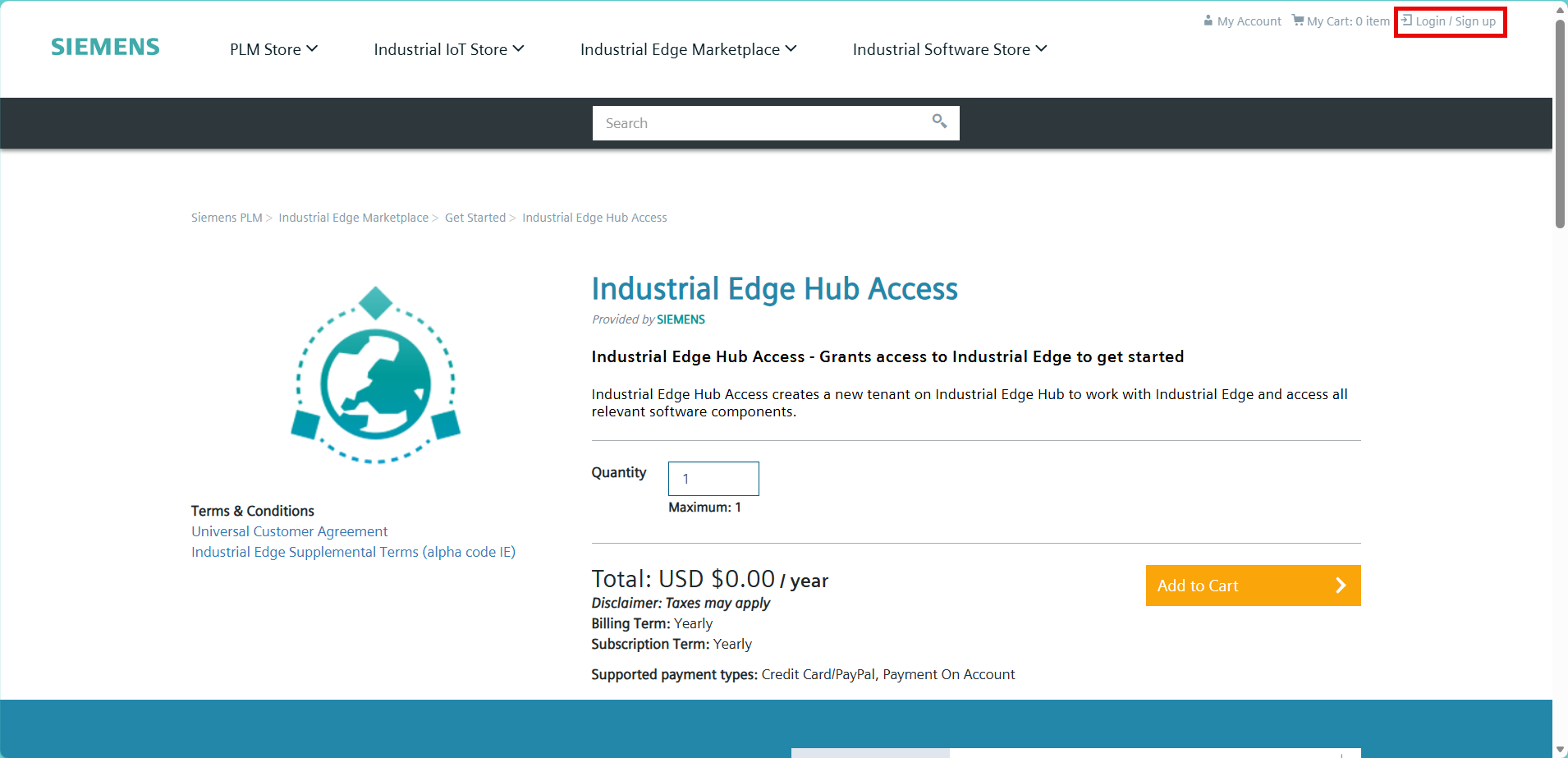
- Open the product page for Industrial Edge Hub Access on the Marketplace. For users located in China, Industrial Edge Hub Access is available at Marketplace China
-
Click "Login/Sign up". The Siemens Log in page appears.
-
Log in with your existing Marketplace account or create a new one. Enter your contact details in the tab "Email address".
- Click "Continue". The "Industrial Edge Hub Access" page opens.
-
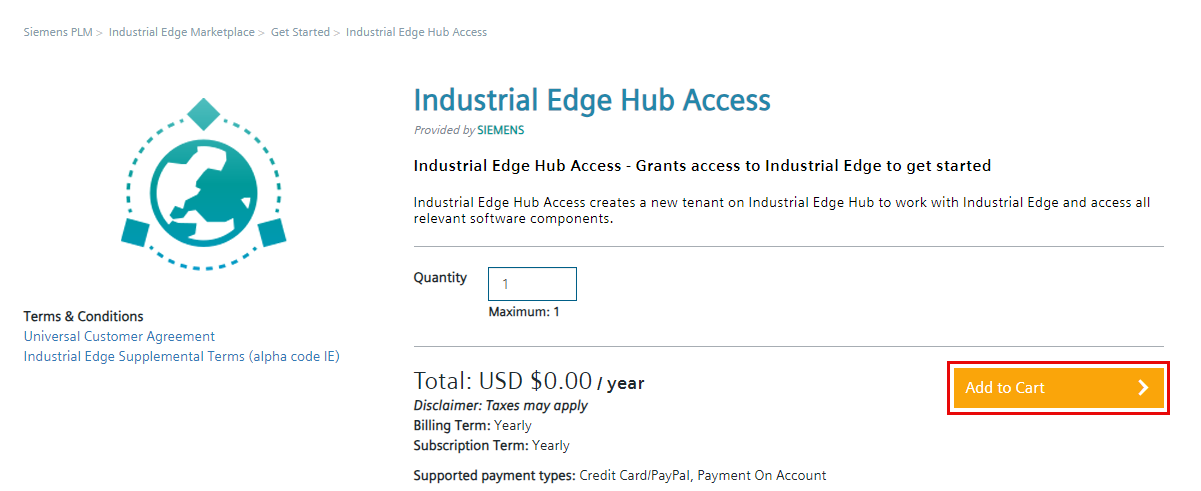
Click "Add to Cart". The "Added to cart" pop-up opens.
-
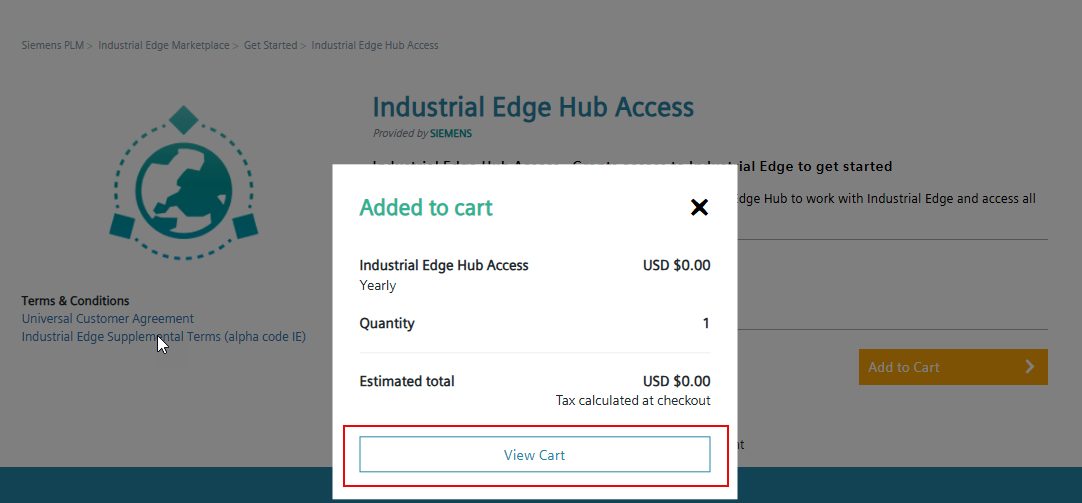
Click "View Cart". The "Cart" page opens.
-
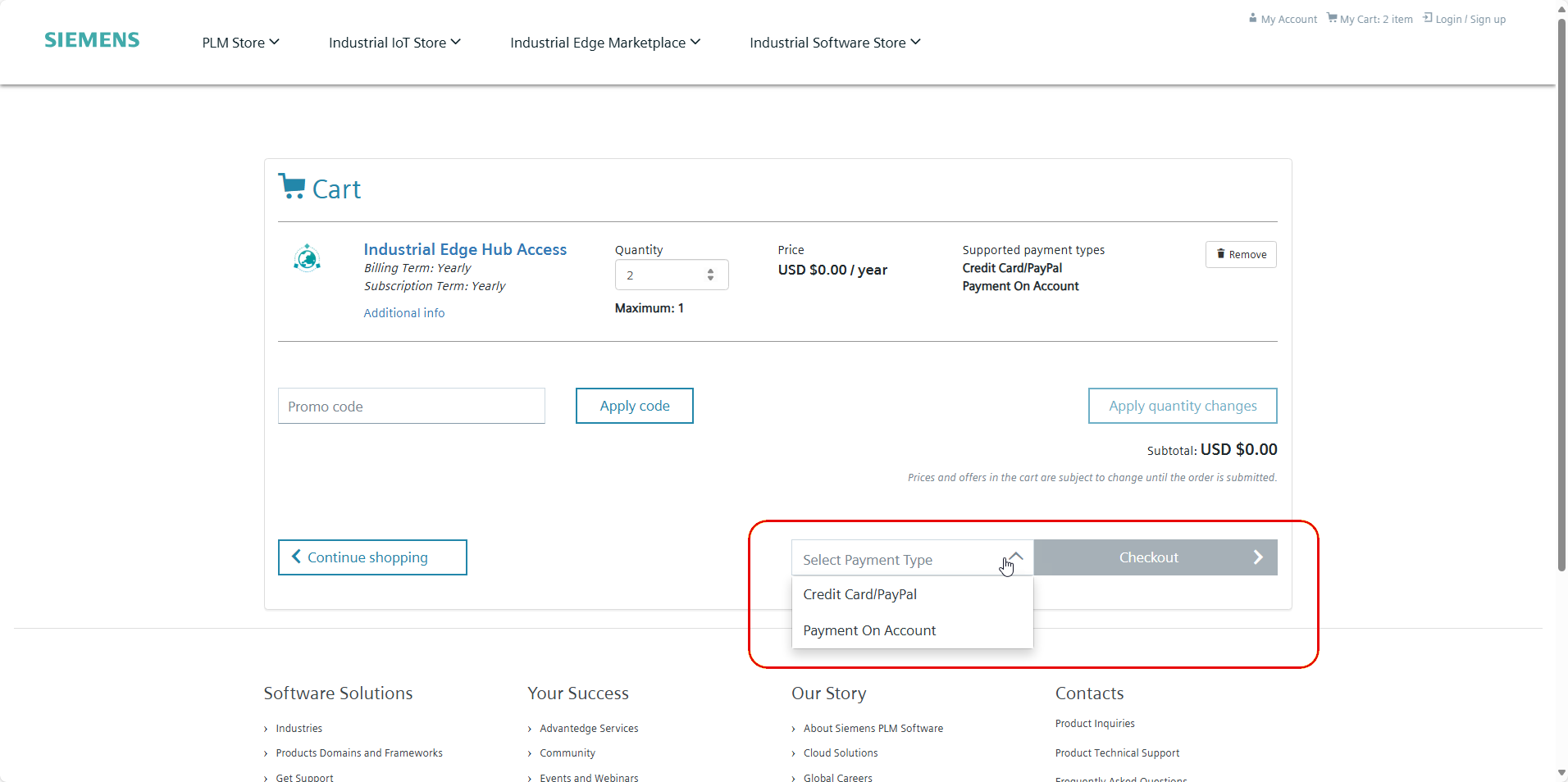
Click "Select Payment Type". A dropdown list of payment types appears. Select the payment type.
-
Click "Checkout". The "Checkout" page opens.
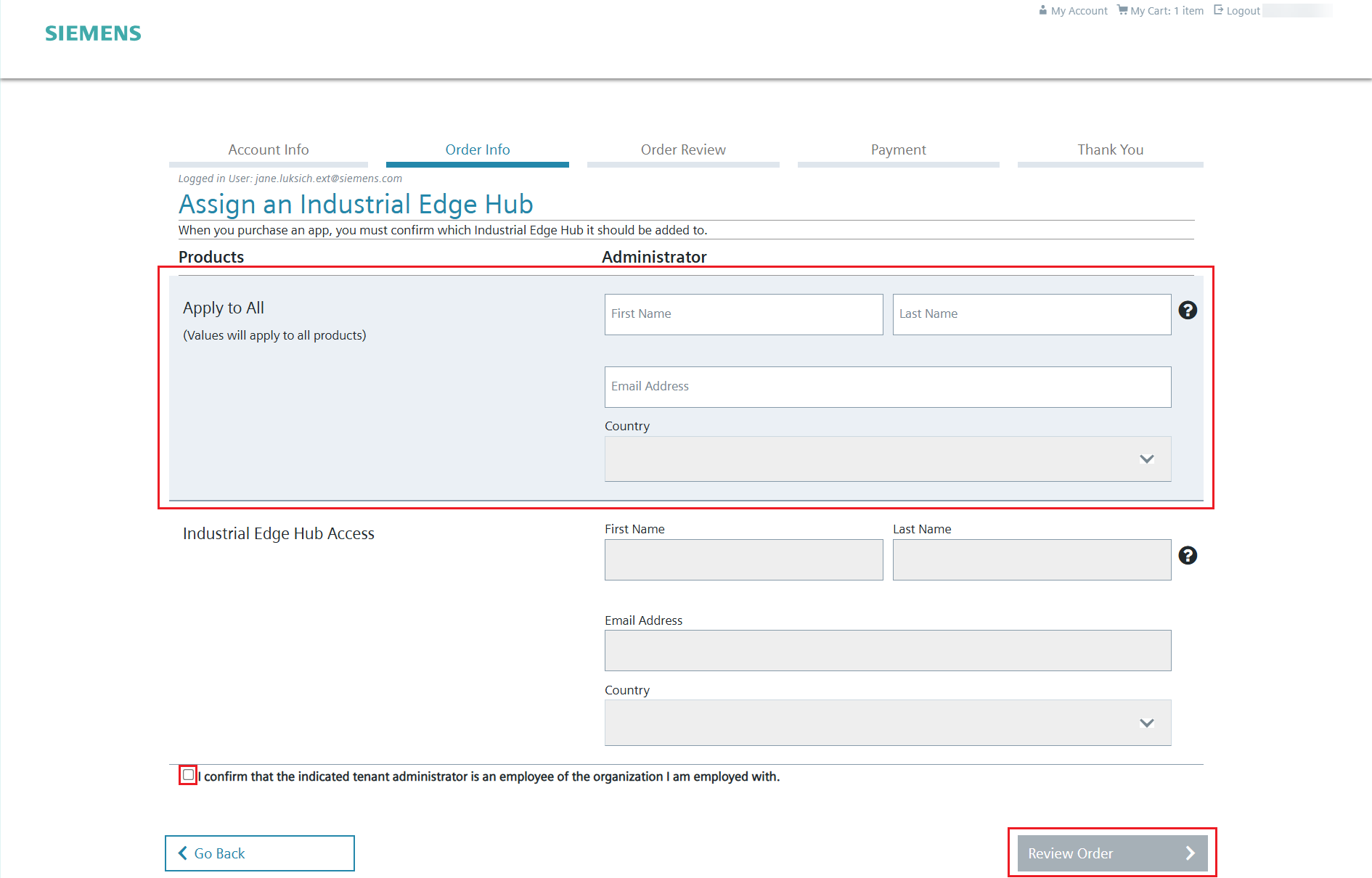
- Complete all required sections. Click "Order Info". The "Assign an Industrial Edge Hub" page opens.
-
Designate all licenses (here IE Hub License) to the administrator.
-
Click the checkbox next to "I confirm that the indicated tenant administrator is an employee of the organization I am employed with." to confirm.
- Click "Review Order". The "Order Review" page opens.
-
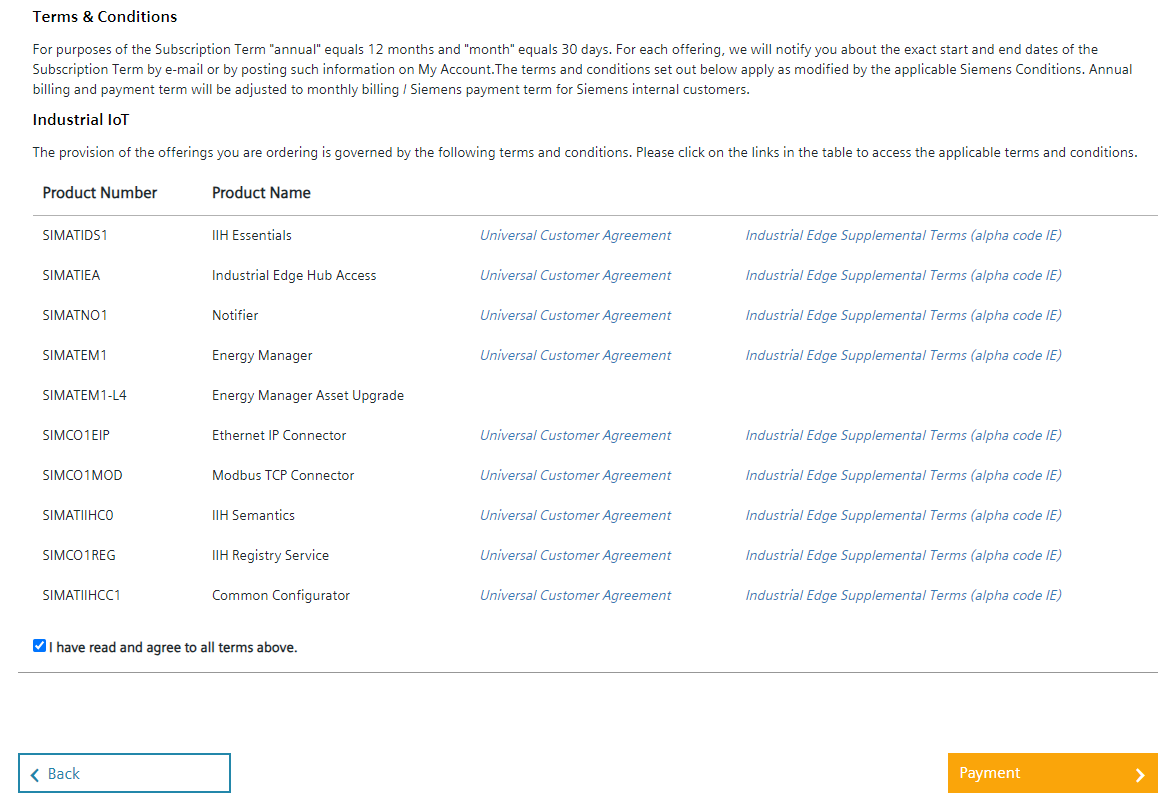
The "Order Review" page displays a summary of your order. Verify the products and customer information listed. Click the checkbox next to "I have read and agree to all terms above." to confirm.
-
Depending on your location, you may need to agree to the Siemens Export Control Agreement. Click the checkbox to confirm.
- Click "Payment". The "Payment" page opens.
- Enter your payment information. Click "Submit Order". The Thank You page opens.
- Save the confirmation for your records.
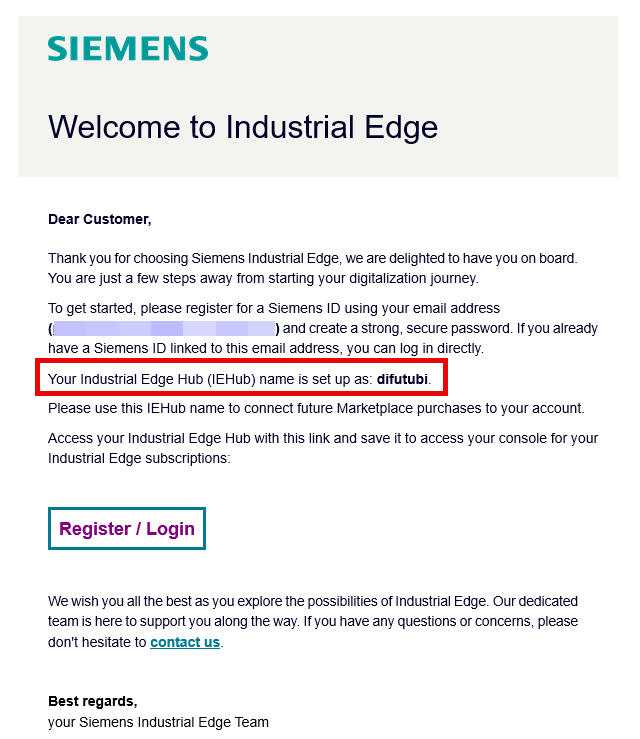
Once the Industrial Edge Hub software is successfully assigned, Siemens sends an email from noreply.siemens.com with the following information:
- Your Industrial Edge Hub name
- The email address you ordered access with
-
The link to the login page for your Industrial Edge Hub
Signing in to Industrial Edge Hub
Before signing in to Industrial Edge Hub, ensure that you have ordered Industrial Edge Hub Access and you have received a welcome email containing a link to your Industrial Edge Hub instance.
- Click the link in the welcome email to open Industrial Edge Hub. The Industrial Edge Hub home page opens in your browser.
-
Enter the email address used for Industrial Edge Hub access.
- If you do not have an account, click "Create one". The "Create Account" page opens.
-
Enter the following information:
- First name
- Last name
- Email address
-
Click the checkbox to agree to the terms and conditions.
-
Click "Continue". The "Set Your Password" page opens.
- Set a password for the Industrial Edge Hub account. Click "Continue". The "Verify Your Email" page opens.
- Enter the 6-digit verification code sent to your email address.
- Click "Continue". The "Welcome" screen opens.
What's next?
Proceed to choosing your Industrial Edge Management Offering (Operating Options).